Classroom games without student devices
Team classroom games on one shared screen: no phones, tablets or accounts for students. Make a game from any lesson and run it from your phone.
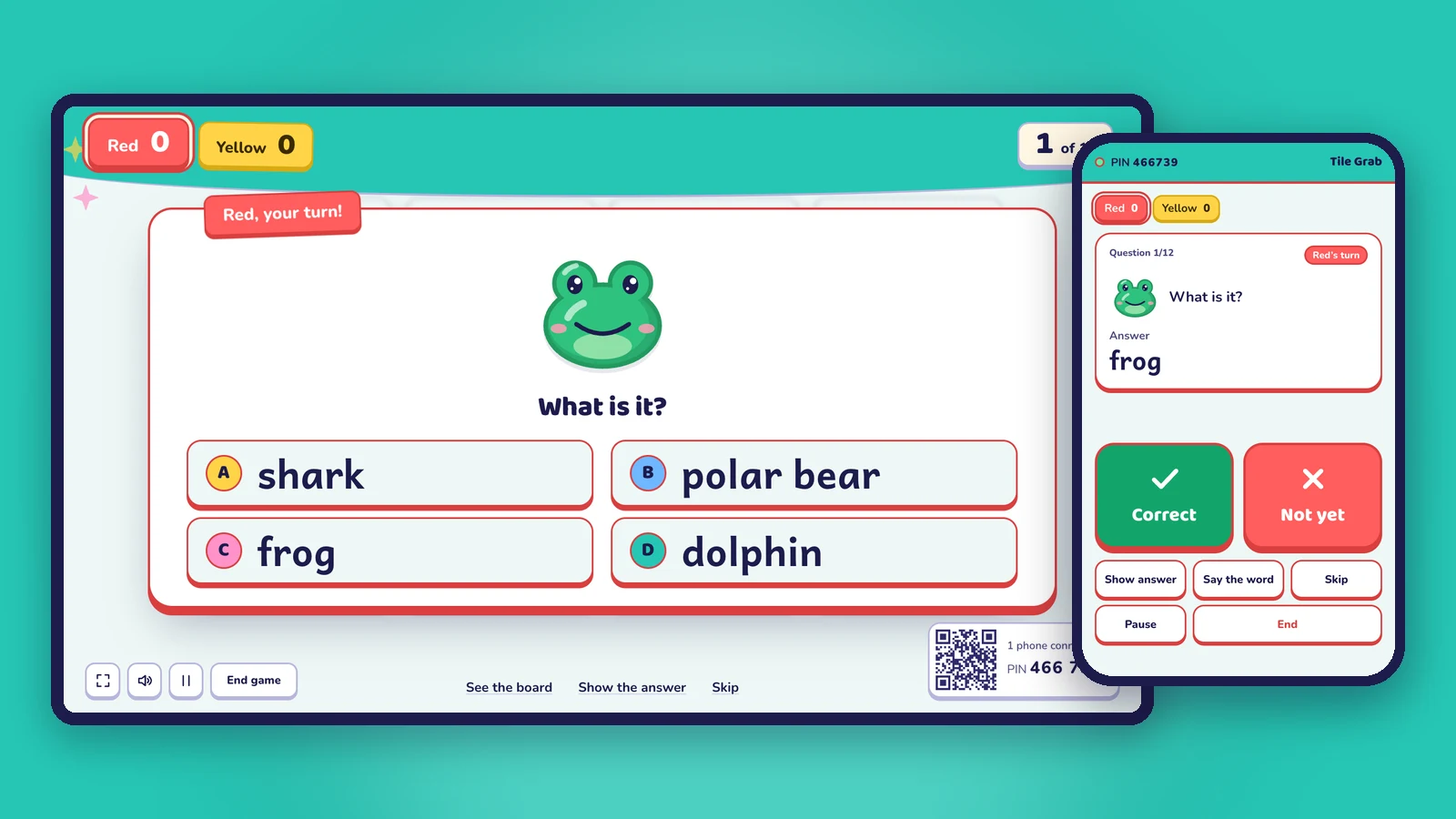
Not every class has a tablet for each student, and many schools keep phones out of lessons on purpose. You can still play lively classroom games: put one screen at the front of the room, split the class into teams, and let them answer out loud or come up to the board. Oly is built for exactly this.
Why play without student devices
- Everyone can play. No missing chargers, no logins, no "my tablet froze". The game works the same in every classroom.
- Students talk to each other. In a team, they discuss the answer before they say it, which is often where the learning happens.
- You see the whole room. Faces look up at the board and at each other, not down at screens.
- Less to manage. No accounts to create for children, and no student data to protect.
- Fits every class size. From two teams to eight (four on the free plan), 15 students or 45.
How it works in Oly
- Make a game from any lesson. Snap a photo of the textbook page, paste a word list, type a topic, paste your own questions or a public Kahoot link. Oly writes the questions and finds a picture for each word. Or pick a ready-made game from the library.
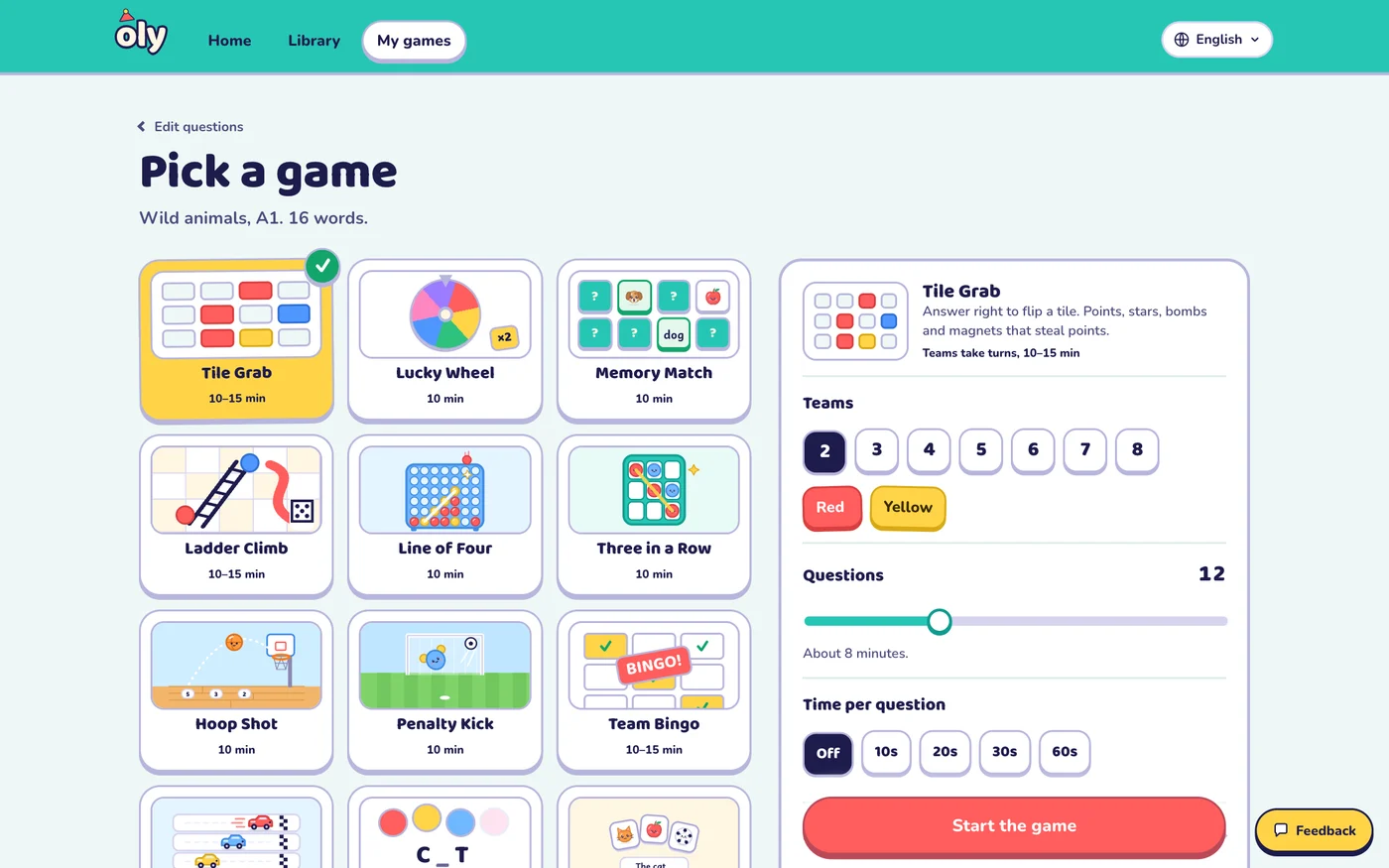
- Pick a game and the teams. 15 games, 2 to 8 teams (up to 4 on the free plan), a timer if you want one.
- Play on the big screen. A projector, a TV or an interactive whiteboard.
- Run it from your phone. Scan the QR code on the screen or type the 6-digit PIN. You see the answer first, mark it right or wrong, and pick for the team. No phone? Use the buttons on the screen, the keyboard or a presenter clicker.
The games
Every game works with every question set, so the same words can come back in different ways all week.
| Game | What happens | Good for |
|---|---|---|
| Tile Grab | A right answer flips a tile: points, stars, bombs or magnets | Any lesson, big classes |
| Lucky Wheel | A right answer spins the wheel | Exciting reviews |
| Memory Match | A right answer flips two cards: the word and its picture | Vocabulary |
| Ladder Climb | Roll the die, climb ladders, slide down slides | Young learners |
| Paper Race | Right answers move your car; last place gets a boost | Close finishes |
| Line of Four | Drop a disc; four in a row scores big | Strategy |
| Three in a Row | Place your team sticker on a 3×3 board | Short lessons |
| Hoop Shot | Choose a close, middle or far shot | Sporty classes |
| Penalty Kick | Shoot left, right or for the top corner | Sporty classes |
| Team Bingo | Every team has a card; each answer stamps all cards | Listening and review |
| Mystery Picture | Right answers peel pieces off a hidden picture | Guessing |
| Balloon Words | Guess the word letter by letter | Spelling (English) |
| Listen and Touch | Students race to touch the picture they hear | Listening (English) |
| Pop the Word | Tap the critter holding the word you hear | Touch screens (English) |
| Picture Dice | Roll three picture dice and make a sentence | Speaking (English) |
Making team games fair for everyone
- Rotate the speaker. Each team chooses a new speaker for every question, so the quick students can't answer everything.
- Use the timer (10 to 60 seconds) so teams decide together and quickly.
- Turn on steals. After a wrong answer another team can steal the points, so everyone keeps listening.
- Hide the score for younger classes when winning matters too much.
- Review what was missed. At the end, Oly lists the words or questions the class found hard, ready to play again next lesson.
What you need
- One big screen: a projector, a TV or an interactive whiteboard.
- A computer with a browser. Nothing to install.
- Your phone, if you want it as the remote.
- Speakers for read-aloud, music and sound effects (optional).
Frequently asked questions
Do students need phones, tablets or accounts?
No. The whole class plays on one shared screen in teams. Students never sign in and never use their own devices.
How do students answer?
Out loud as a team, on mini whiteboards, by holding up cards, or by coming up to tap a touch screen. You mark each answer on your phone or on the screen.
Does it work for subjects other than English?
Yes. 11 of the 15 games work with any subject: math, science, history and geography, reading and writing. Oly writes multiple choice, true or false and open questions.
Is it free?
Yes. Every game and the whole library are free to play, and the free plan includes 10 AI question sets a month.
Read the full guide to how Oly works in class, or see games for big classes.