A Blooket alternative with no student devices
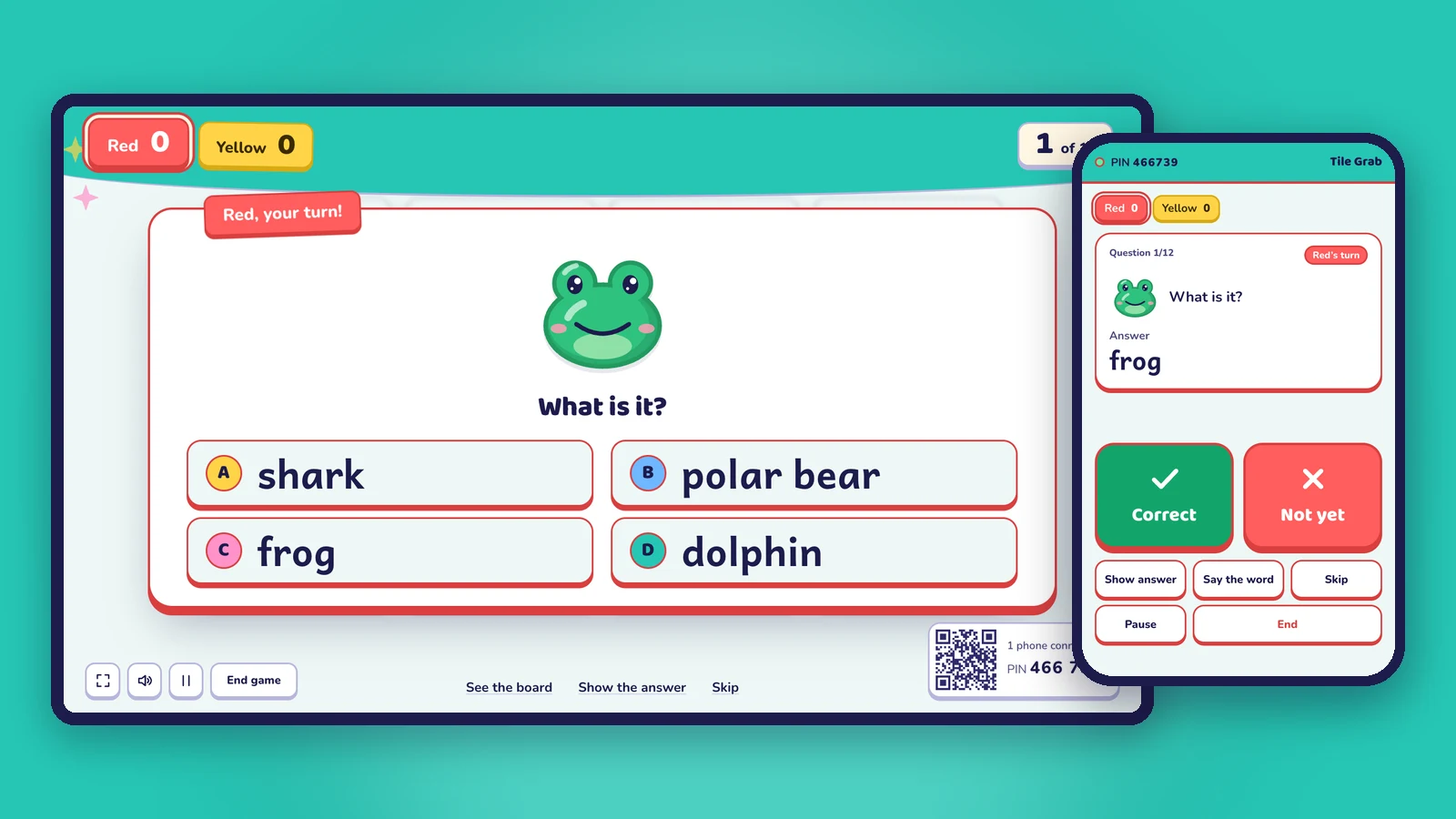
Blooket needs a device for every student. Oly plays team games on one screen, with your phone as the remote and games made from a textbook photo.
Blooket is one of the most popular review games in classrooms, and for good reason: bright game modes, quick to host, and students love it. But it has one requirement that doesn't fit every class: every student plays on their own device. They go to Blooket's join page, type the Game ID and answer on their phone, tablet or Chromebook.
If your students don't have devices, if the school doesn't allow phones, or if you'd simply like the class looking up instead of down, you need games like Blooket that run on one screen at the front of the room. That's what Oly does.
This page is an honest comparison. Both tools are good; the right one depends on your classroom.
At a glance
| Oly | Blooket | |
|---|---|---|
| What students need | Nothing: they play in teams and answer out loud | Their own device, to join with a Game ID, QR code or join link |
| Student accounts | None | None needed to join a game (the teacher has an account) |
| How the class plays | 2 to 8 teams on one shared screen (up to 4 on the free plan) | Each student plays on their device; the host screen goes on the projector |
| Teacher's remote | Your phone shows the answer and marks it (QR code or 6-digit PIN) | Not mentioned on their site |
| Make a game from a photo of a textbook page | Yes (AI) | Not mentioned on their site |
| Make a game from a topic | Yes (AI), with pictures and pronunciation for English words | Yes, through Khan Academy's Khanmigo Blooket Generator (a separate free Khanmigo teacher account) |
| Import a public Kahoot quiz | Yes | Not mentioned on their site |
| Game types | 27 team games (Tile Grab, Lucky Wheel, Team Bingo, Paper Race…) | Many live game modes, some only for Blooket Plus |
| Homework | No: Oly is for live play in class | Yes, homework assignments with reports |
| Players | The whole class, in teams | Up to 60 players on the free plan, up to 300 with Blooket Plus |
| Free plan | Yes: every game, the whole library, 10 AI sets a month | Yes |
| Paid plan | Oly Pro: $36 a year or $4.99 a month | Blooket Plus (the price is shown in your Blooket account) |
Blooket details are from Blooket's help center (hosting and joining a game, Blooket Plus features, homework, the Khanmigo generator), checked on October 31, 2026. Blooket's prices weren't on the public pages we could open; check your Blooket account for the latest.
When Oly is the better fit
- Your students don't have devices. Oly needs one computer on the projector, TV or interactive whiteboard, and your phone. Students need nothing, and nobody types a Game ID.
- You want students to talk. In a team they discuss and agree before they answer, so quiet students take part without being singled out.
- You want to walk around the room. The phone remote shows you the answer and gives you Correct, Not yet, Show answer and Next from anywhere in the room.
- Patchy Wi-Fi. Only the computer and your phone need to be online, not 30 devices at once.
- You don't have time to type questions. Snap the textbook page you're teaching, paste a word list or type a topic like "farm animals", and the game is ready in about a minute.
- You teach young learners or English. Listening, spelling and speaking games (Listen and Touch, Balloon Words, Picture Dice), pictures for every word and read-aloud.
- You want variety from one set. The same questions play as 27 games: Tile Grab one day, Team Bingo the next, Tug of War on Friday.
When Blooket may suit you better
- Every student has a device and you want each student to play and score on their own.
- You want homework. Blooket can assign a set as homework, with reports on how each student did. Oly is made for live play in class.
- You want reports per student. Oly's results show what the class found hard, not a score for each student.
- Your class already loves Blooket's game modes and you have years of sets there.
Many teachers use both: Blooket when the class has Chromebooks, Oly when it doesn't, or when they want the room to play together.
Moving to Oly
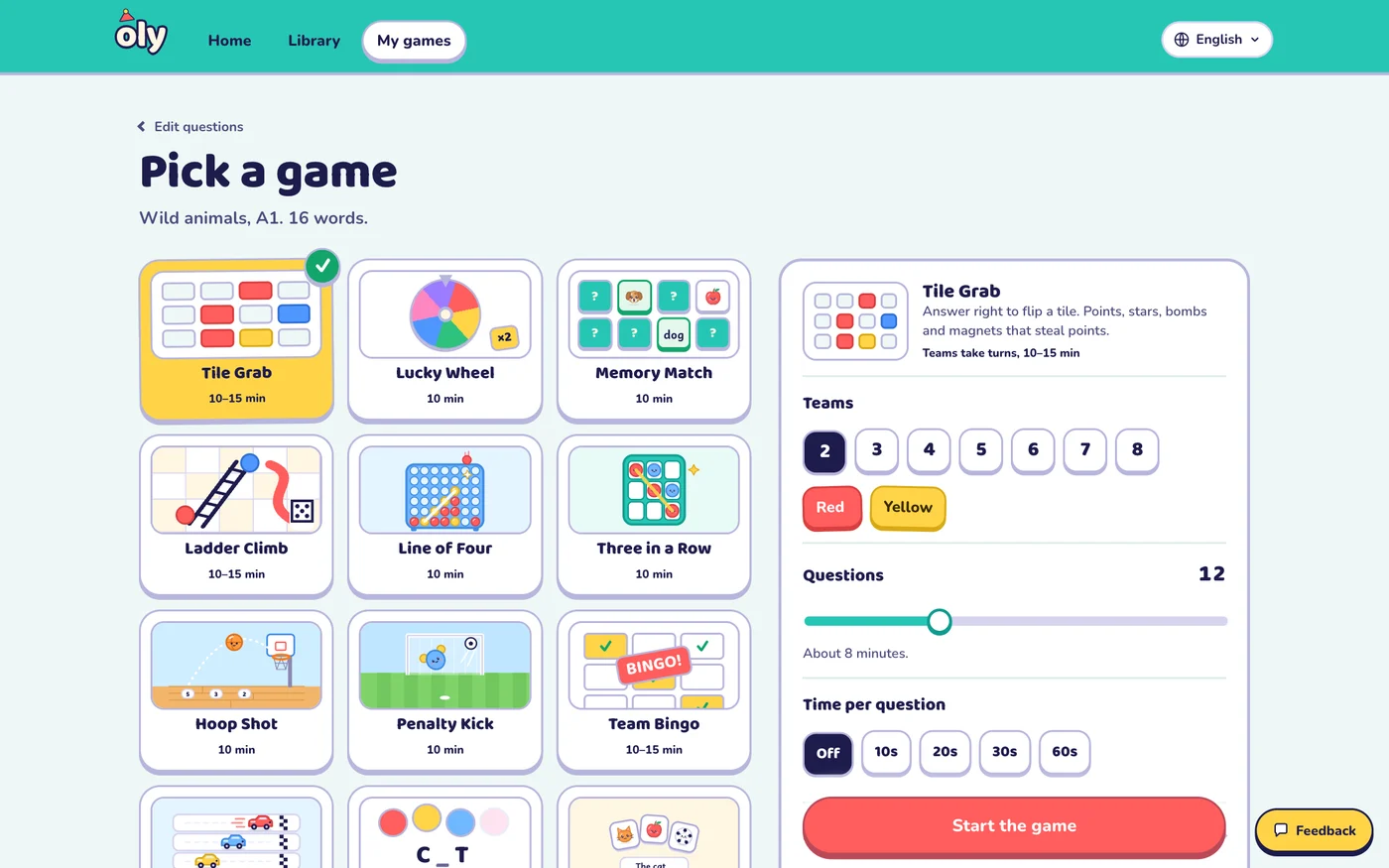
- Open Make a game.
- Paste your questions one per line as
question | answer | wrong, wrong, paste rows from a spreadsheet, or paste a public Kahoot link. Or snap the textbook page, paste a word list or type a topic. - Check the questions, pick a game and the teams, and press Start the game. Scan the QR code with your phone to use it as the remote.
Frequently asked questions
Is there a game like Blooket that doesn't need student devices?
Yes. Oly plays team games on one shared screen: students answer out loud as a team and you mark the answers on your phone. Nobody else needs a device or an account.
Is Oly free like Blooket?
Yes. Every game and the whole library are free to play, and the free plan includes 10 AI question sets a month and up to 4 teams. Oly Pro ($36 a year or $4.99 a month) raises the limits and allows up to 8 teams.
Can I bring my Blooket questions to Oly?
Oly has no Blooket import. Copy your questions and paste them one per line as question | answer | wrong, wrong, or paste rows from a spreadsheet. Public Kahoot quizzes can be imported with their link.
Does Oly work for subjects other than English?
Yes. Twenty-one of the 27 games work with any subject: math, science, history and geography, reading and writing, with multiple choice, true or false and open questions.
Is Oly affiliated with Blooket?
No. Oly is made by Groowing Co., Ltd. Blooket is a trademark of its owner and is named here only for comparison.
Other comparisons: Baamboozle alternative, Kahoot without student devices, Gimkit alternative, Wordwall alternative, Quizizz (Wayground) alternative. Or read Blooket vs Kahoot vs Baamboozle.