Classroom management games: calm, fair team games on one screen
Team games that make classroom management easier: fair teams, calm turns, review that sticks and rewards without prizes. One screen, your phone as remote.
A classroom game can be the best ten minutes of your week or the noisiest. The difference is rarely the game itself. It is how the teams are made, who gets to answer, how loud the room is allowed to get, what the points are for, and where you are standing while it all happens.
This page brings together what works with a whole class in teams on one shared screen: a projector, a TV or an interactive whiteboard, with no devices for students and your phone as the remote. Each section below has a longer guide if you want the details.
Why team games help classroom management
Good classroom management is mostly about attention and fairness: every student knows what to do, has a reason to listen, and feels the rules are the same for everyone. Team games on one screen give you a lot of that for free.
- One place to look. The whole class faces the same screen. You don't compete with thirty tablets, and you can see every face.
- The team answers, not the fastest hand. Quiet students talk to three teammates long before they would speak to the whole room.
- Clear, visible rules. Whose turn it is, how long is left, and what a right answer earns are all on the screen. Fewer arguments, fewer "that's not fair".
- Routines students learn once. The same rules (turns, timer, steal) work in every game, so after the first week you stop explaining and start playing.
- A structure for energy. Excitement is not the enemy. A game gives it a shape: a short loud moment after a point, then quiet for the next question.
None of this happens automatically. The guides below are about the habits that make it happen.
Make teams fast and fair
The first five minutes decide the game. If making teams takes ten minutes, or the same strong students end up together, you have lost the class before the first question.
Make teams by rows or tables when time is short, and mix abilities on purpose when you can. Inside each team, rotate the speaker so the fast student coaches instead of answering everything. In Oly you can paste a class list (one name per line) on the Ready page: Oly shuffles the names into the teams and calls one student on each question card ("Team 2: Mia, your turn!"), going round every member in order. The list stays in your browser and never reaches our servers.
Read the full guide: How to make classroom teams fast and fair.
Keep the class calm during games
Noise usually comes from waiting and from races. A team with nothing to do will find something to do, and a "first to shout" question rewards the loudest student.
Use a whisper rule (teams agree in whispers, one speaker answers out loud), give think time before anyone answers, and set a timer of 10 to 60 seconds so turns don't drag. Choose turn-taking games for calm lessons and save the race games for when you want energy. Switch effects to calm if confetti and big sounds are too much for the group, and run the game from your phone so you can stand next to the table that needs you.
Read the full guide: How to keep a class calm during classroom games.
Review before a test without chaos
A review game should tell you what the class still doesn't know, not just who won. Pick the game for the goal: every team answering every question when you want to check everyone, a quick turn-based game when you want lots of questions in ten minutes.
Mark the key items as double or triple questions in the editor so they count more. At the end, the summary lists the words or questions the class missed; Review missed words turns them into a new game for the next lesson.
Read the full guide: Review games before a test: a plan that works.
Rewards without prizes
You don't need sweets or stickers to motivate a class. Points on a big screen, a moment of applause and a fair chance to come back are enough for most groups. For classes that get too competitive, hide the score or play a cooperative game where the whole class wins or loses together. The steal rule gives every team a reason to listen to every question.
Read the full guide: Rewards without prizes: motivating a class with team games.
Your phone as the classroom remote
The laptop is usually at the front corner of the room, and the teacher is stuck next to it. With Oly, you scan the QR code on the big screen (or type the 6-digit PIN at olyclass.com/pin) and your phone becomes the remote. You see the answer before the class, tap Correct or Not yet, pick the team's tile or shot, show the answer, skip, pause or end. You can walk the room while the game runs.
Read the full guide: Your phone as a classroom remote.
Which game fits which situation
Every Oly game takes the same question set, so you can choose by the mood of the class rather than the content. 21 of the 27 games work with any subject; 6 are made for English.
| The situation | Try | Why it helps |
|---|---|---|
| The class gets too competitive | High Water | One tower, one rising sea: the whole class wins or loses together |
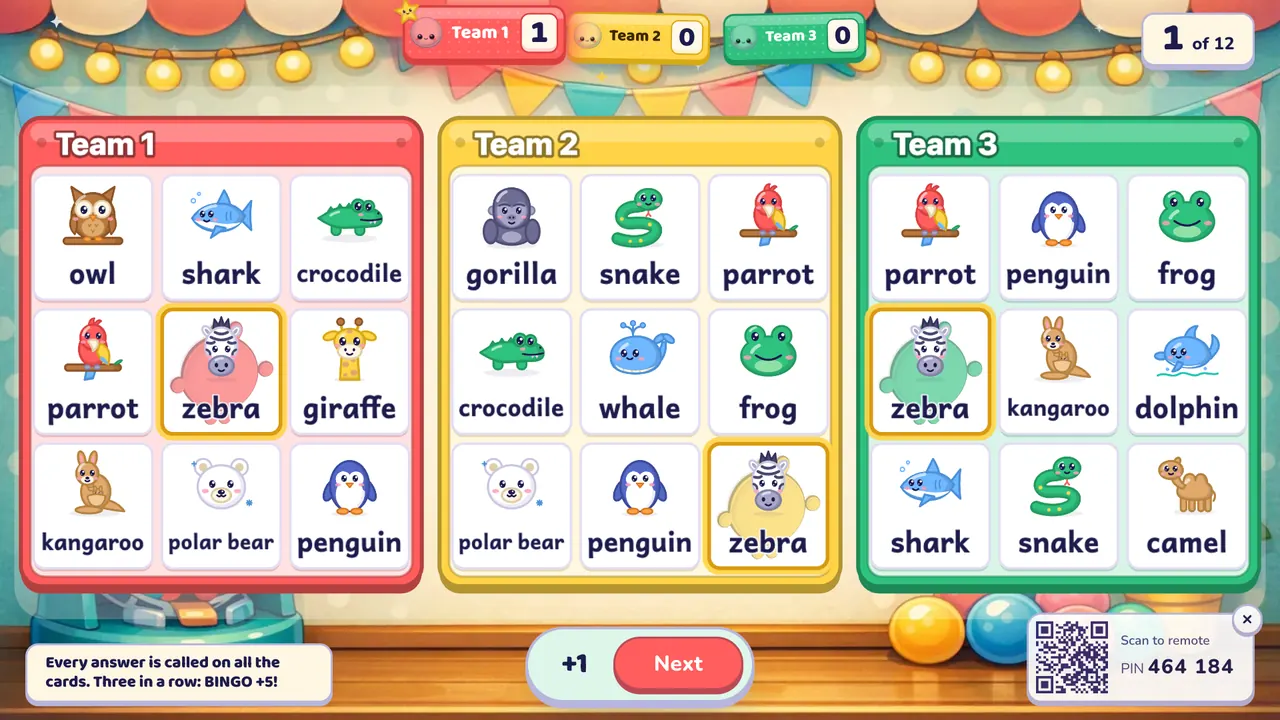
| Some teams switch off while they wait | Ring the Bell, Team Bingo | Every team writes every answer, or every card can be stamped on any question |
| You need a calm end to the lesson | Fishing Pond, Memory Match | Gentle rewards, simple rules, no shouting |
| Weaker teams give up early | Paper Race, Tile Grab | The last car gets a boost; a lucky tile can still change the game |
| Two halves of the room want a showdown | Tug of War | Two teams on one rope, every right answer pulls it back |
| Teams rush and guess | Dare Board, Prize Climb | Teams choose their risk, so they have to stop and think |
| A strategy game for older students | Three in a Row, Line of Four | Teams plan where to play and block each other |
| You want energy, on purpose | Hoop Shot, Penalty Kick | A short sporty moment after each right answer |
| English speaking with the whole team | Hot Seat, Picture Dice | The team describes or builds sentences together |
See all of them on the classroom games page.
Set up in 2 minutes
- Get a question set. Open a ready-made game from the library, or make one from a textbook photo, a word list, a topic or your own questions.
- Choose a game on the Ready page.
- Set the teams. 2 to 4 teams on the free plan, up to 8 with Oly Pro. Type team names or keep the colours.
- Paste a class list (optional) under "Call on students" so Oly names who answers each turn.
- Choose the rules. A timer per question (off, 10, 20, 30 or 60 seconds; running out counts as a wrong answer), steal, wrong answers losing a point (off by default), hide the score, and the power-ups a game uses.
- Choose the look. A theme (classic or seasonal) and effects: full, calm or off.
- Start, then scan the QR code on the big screen with your phone. The stage opens on a lobby where you can check the settings again; press Play.
Changed your mind mid-game? The ⚙︎ button on the big screen changes the timer, rules, look and team names without starting again.
Frequently asked questions
What are classroom management games?
Games that help you run the room, not just review content: clear turns, fair teams, a reason for every student to listen, and a calm way back to work afterwards. Most team review games can do this when you add a few routines such as rotating speakers, think time and steals.
Do students need devices?
No. The whole class plays on one shared screen in teams. Students answer out loud, on mini whiteboards or by touching an interactive display. Only you use a phone, and even that is optional: the keyboard and the on-screen buttons work too.
How do I stop the same students answering every question?
Rotate the speaker. Number the students in each team, or paste your class list so Oly names one student per turn. Teammates can help, but only the named student answers.
What if my class gets too loud?
Use turn-taking games rather than races, set a timer, switch effects to calm, and pause the game from your phone when you need everyone's attention. A whisper rule for team discussion helps most of all.
Can I play without a winner?
Yes. Hide the score so nobody tracks the points, or play High Water, where the class wins or loses together against the rising sea.
Is it free?
Yes. Every game and the whole library are free to play with up to 4 teams, and the free plan includes 10 AI question sets a month. Oly Pro adds up to 8 teams and more AI sets.
For more on playing without tablets, see classroom games without student devices, interactive whiteboard games and projector classroom games.