Looking for a Wordwall alternative? Try team games on one screen
Wordwall gives you activity templates. Oly gives you 27 team games with scores on one screen, a phone remote and games made from a textbook photo.
Wordwall is a favourite of many teachers, especially in English classes. You type your content once and switch it between activity templates: a quiz, match up, flash cards, a spinning wheel, unjumble, open the box. Activities can be played on the classroom screen, by each student on their own device, or printed as a worksheet.
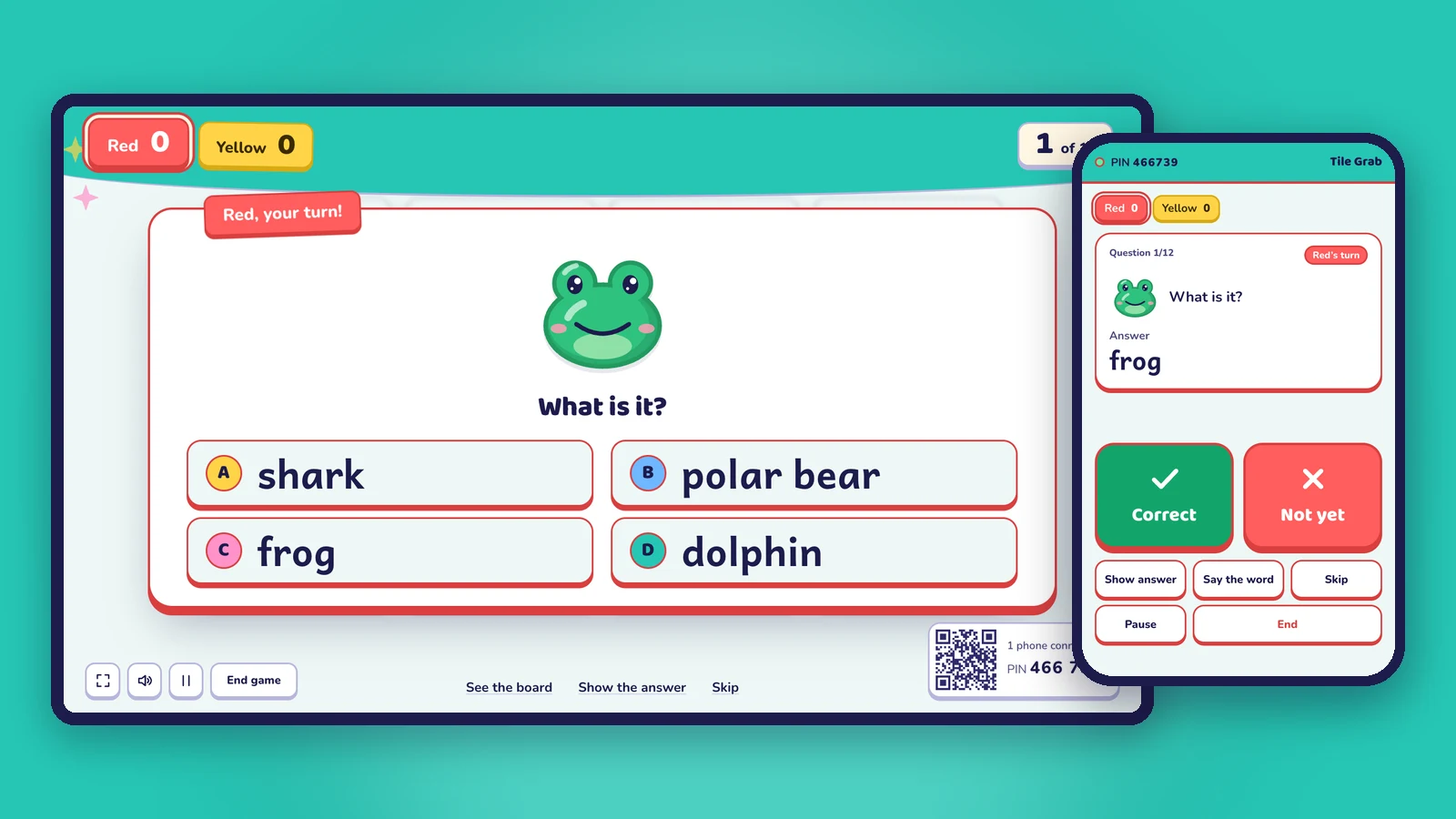
Oly starts from a different place. Instead of single activities, it gives you team games with a running score, made for the whole class playing on one screen, with your phone as the remote. And it can make the questions for you from a photo of the textbook page you're teaching.
This page is an honest comparison. Both are good tools, and plenty of teachers use both.
At a glance
| Oly | Wordwall | |
|---|---|---|
| What it is | 27 team games, each playable with any question set | Activity templates (quiz, match up, flash cards, spin the wheel, group sort…) |
| How the class plays | In 2 to 8 teams on one shared screen (up to 4 on the free plan), with scores | On a classroom screen, or each student on their own device |
| Teams and a running score | Yes, in every game | Not mentioned on their site for screen play |
| Teacher's remote | Your phone shows the answer and marks it (QR code or 6-digit PIN) | Not mentioned on their site |
| Make content from a photo of a textbook page | Yes (AI) | Not mentioned on their site |
| Make content with AI | Yes, from a photo, a word list or a topic, with pictures and pronunciation | Yes, on the paid plans ("Generate lesson content instantly with AI") |
| Printables | Flashcards, a worksheet and answers for every library set and for your own sets | Yes, on the paid plans: print any activity, PDF download |
| Student assignments with results | No: Oly is for live play in class | Yes, students can play on their own devices and you track their results |
| Free plan | Every game, the whole library, 10 AI sets a month, 15 saved games | Up to 3 activities, 12 templates |
| Paid plans | Oly Pro: $36 a year or $4.99 a month | Standard and Pro (Pro has 34 templates); prices are shown in your local currency |
Wordwall details are from wordwall.net (home page and price plans), checked on October 31, 2026. Prices change and differ by country; check their site for the latest.
When Oly is the better fit
- You want the whole class playing together. Teams think, talk and agree before answering, and the score on the screen keeps every team in the game until the last question.
- You want real games, not just activities. A right answer earns the team a move: a tile in Tile Grab, a spin of the Lucky Wheel, a shot in Hoop Shot, a stamp on every card in Team Bingo.
- You want to walk around the room. The phone remote shows you the answer and gives you Correct, Not yet, Show answer and Next, so you're not stuck at the computer.
- You don't have time to type content. Snap the page you're teaching today, paste a word list or type "weather", and Oly writes the questions and adds a picture for every word.
- You teach young learners. Listening, spelling and speaking games: Listen and Touch, Pop the Word, Balloon Words, Picture Dice.
- You want to know what to reteach. At the end, Oly lists the words the class missed and makes a new game from them in one tap.
- You still want paper. Every library set and every set you make has printable flashcards, a worksheet and an answer sheet, included on the free plan.
When Wordwall may suit you better
- You want individual practice or homework. Wordwall activities can be set for students to play on their own devices, with results for each student. Oly is for live play in class.
- You like its activity types, such as group sort, unjumble or labelled diagrams, for a quiet individual task rather than a team game.
- You rely on its community activities made by other teachers, or you already have many activities there.
Moving to Oly
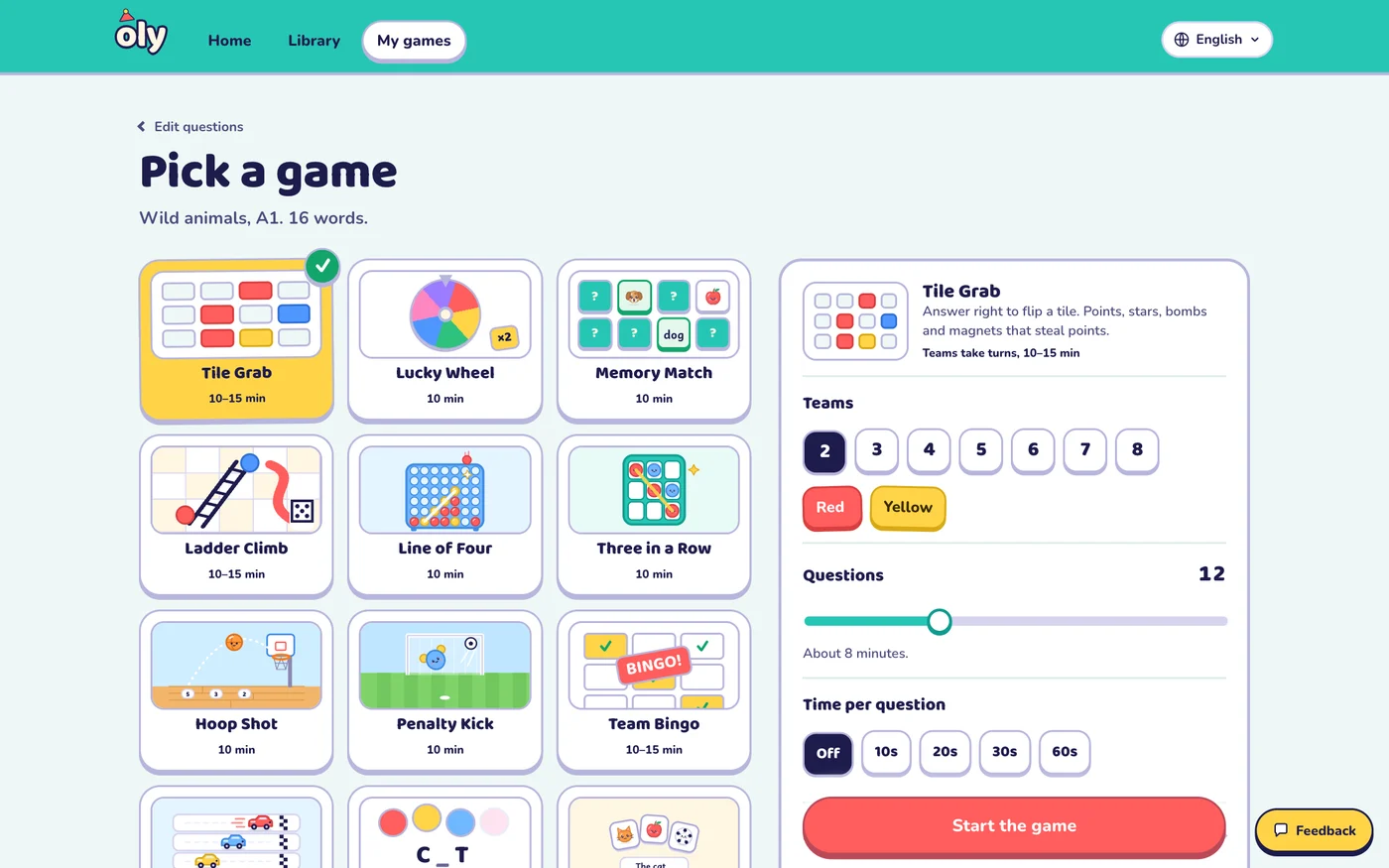
- Open Make a game.
- Paste your word list or your questions one per line as
question | answer | wrong, wrong, or paste rows from a spreadsheet or a public Kahoot link. Or snap the textbook page. - Check the set, pick one of 27 games and the teams, and press Start the game. Scan the QR code to use your phone as the remote.
Frequently asked questions
Is Oly free?
Yes. Every game and the whole library are free to play, and the free plan includes 10 AI question sets a month, up to 4 teams and 15 saved games. Oly Pro ($36 a year or $4.99 a month) raises the limits and allows up to 8 teams.
Can I print from Oly like I do from Wordwall?
Yes. Every set, from the library or your own, prints as flashcards, a worksheet and an answer sheet. It's free and works in the browser.
Do students need devices in Oly?
No. The class plays on one screen: a projector, a TV or an interactive whiteboard. Only the teacher uses a phone, as the remote, and even that is optional because the keyboard works too.
Can I move my Wordwall content to Oly?
Oly has no Wordwall import. Copy your words or questions and paste them into Make a game: a word list, question | answer | wrong, wrong lines, or rows from a spreadsheet.
Is Oly affiliated with Wordwall?
No. Oly is made by Groowing Co., Ltd. Wordwall is a trademark of its owner and is named here only for comparison.
Other comparisons: Baamboozle alternative, Kahoot without student devices, Blooket alternative, Gimkit alternative, Quizizz (Wayground) alternative.