Listen and Touch: a listening game for the classroom board
A listening game for English class: Oly says a word, and one student from each team races to touch the right picture on the board. Free, one screen.
Listen and Touch is a listening game for the classroom: Oly says an English word out loud, six pictures fill the screen, and one student from each team races to touch the right one. It is the classic "slap the board" activity, with the pictures, the voice and the score taken care of. It works best with young learners and beginners (Pre-A1 to A2), and on an interactive touch display it is at its best.
At a glance
| Players | The whole class in 2–4 teams free (up to 8 with Pro) |
| Time | 5–10 minutes for 12 words |
| Works with | English sets only, the listen format: hear the word, find the picture |
| Best for | New vocabulary, warm-ups, young learners, interactive touch displays |
| You need | One screen, speakers, and your phone as the remote; a set with at least 4 words that have pictures |
How to play Listen and Touch
- Make or pick a question set. Snap a textbook page, paste a word list or type a topic, or open a free set from the library. Each word needs a picture; Oly adds them for you.
- Pick Listen and Touch, set the teams and start. Line up one student from each team, a few steps from the board.
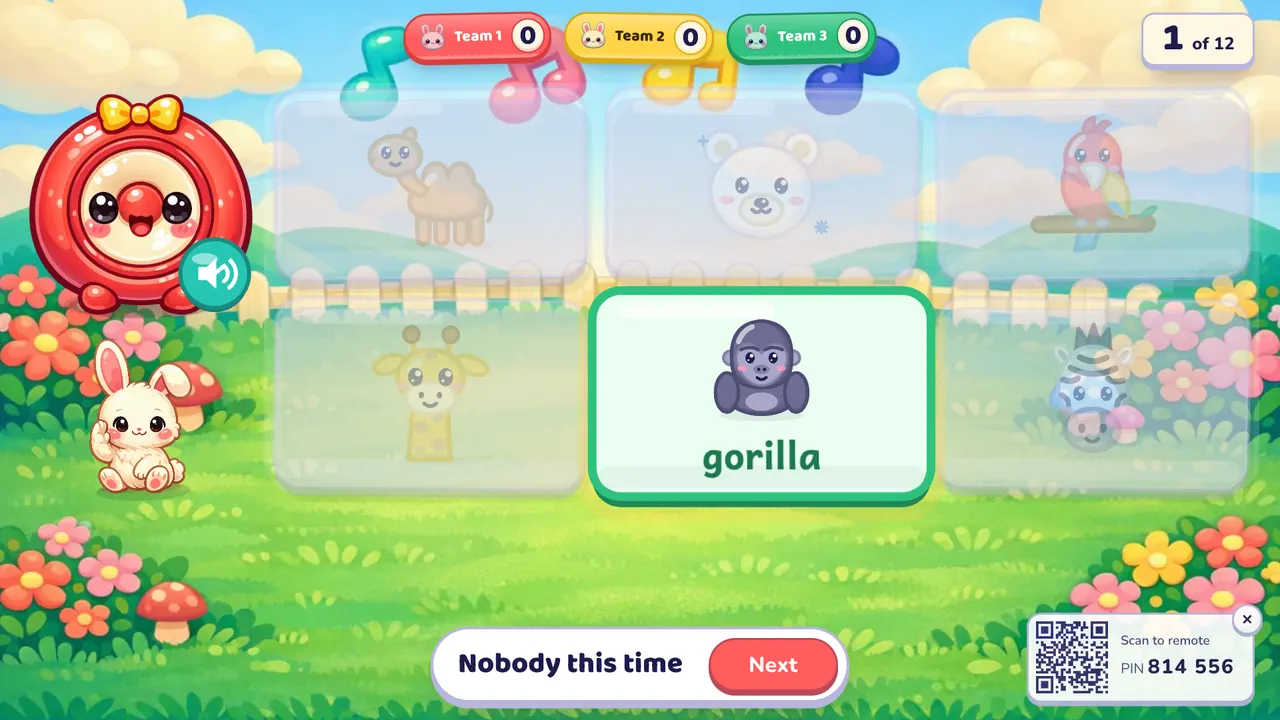
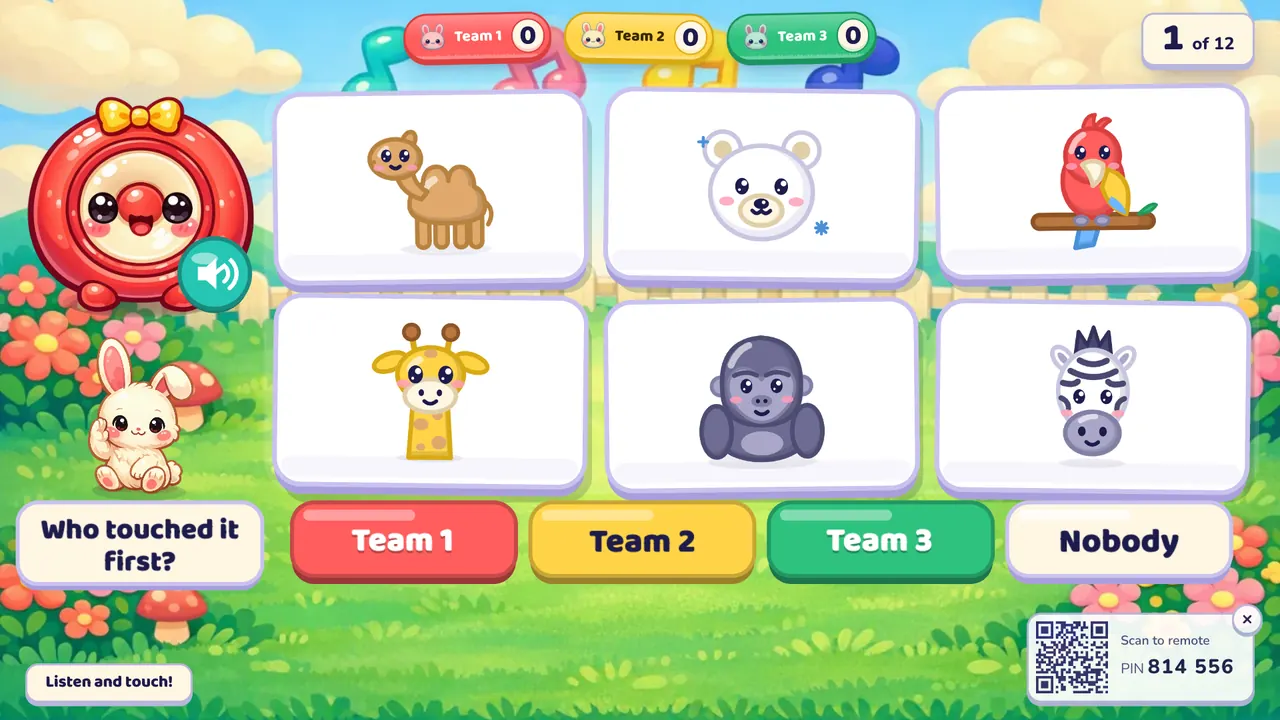
- Play. Oly says a word and shows six pictures. The students race to touch the right one. On a touch screen a wrong tap makes the picture wobble and fade, and the right one pops up and shows the word. Then you tap the team that found it first ("Who touched it first?"), on the screen or on your phone, and that team scores. If nobody got it, tap "Nobody". The next students come up for the next word. The team with the most points at the end wins.
Rules and scoring
- First to touch the right picture: 1 point for that team.
- Nobody: no points for anyone, and the right picture is shown.
- All teams play every word. There are no turns, so there is nothing to steal and no minus point for a wrong answer.
- Double and triple questions are worth 2 or 3.
- Hear it again: the speaker button on the screen (or the S key) says the word again.
- Settings: a timer per word (off, 10, 20, 30 or 60 seconds; running out counts as nobody), hide the score, calm or no effects.
What you can teach with it
Listen and Touch is English only, because the whole game is hearing an English word and matching it to its picture. It is hidden for maths, science and other subject sets.
- Zoo animals at Pre-A1: "giraffe", "zebra", "gorilla", with six big pictures to choose from.
- Classroom objects or food at A1: play it at the start of the lesson to check which new words have stuck.
- Sounds that are easy to mix up: put "ship" and "sheep" or "hat" and "hut" in one set, so students must listen closely.
Tips from the classroom
- Without a touch screen, students touch the picture on the projected wall or whiteboard; you watch who was first and tap that team. It works just as well.
- Use speakers in a big room. Laptop speakers are lost after the second row.
- Ask runners to start with their hands on their heads, and touch with one hand only. Fewer collisions, fairer races.
- Rotate the runners every word so all 40 students get a turn, and let the rest of each team say the word aloud after Oly.
- For a calmer class, set calm effects and ask students to point from their seats instead of running.
Play it without a screen
- Stick 6–8 picture cards on the board, or draw them.
- Call one student from each team to the front.
- Say a word; the first to touch the right picture wins a point for the team.
- Change the cards every few rounds so it doesn't become a memory game.
The screen version speaks every word in the same clear voice, shuffles six pictures each round, and keeps the score so you can watch the race.
Questions teachers ask
Is Listen and Touch free?
Yes. Playing is free, with library games and your own typed questions. The free plan also includes 10 AI question sets a month (3 from photos).
Do I need a touch screen?
No. On a touch display students tap the picture and the screen reacts. On a projector they touch the wall, and you tap the winning team on the screen or on your phone.
Do students need devices?
No. Students run to one shared screen. Only your phone is used, as the remote.
How many students can play?
The whole class, in 2–4 teams on the free plan or up to 8 teams with Oly Pro. One student per team runs each round.
Why is it only for English?
The game is built on hearing an English word and matching it to a picture, so it only shows for English sets.
Can a team lose points?
No. A wrong touch just makes the picture fade, and the student can try again.
Want more listening practice? Try Pop the Word or Memory Match.