Pop the Word: a whack-a-mole vocabulary game for touch screens
A whack-a-mole style vocabulary game: Oly says a word, critters pop up holding pictures, and students tap the right one. Free, one screen, made for touch.
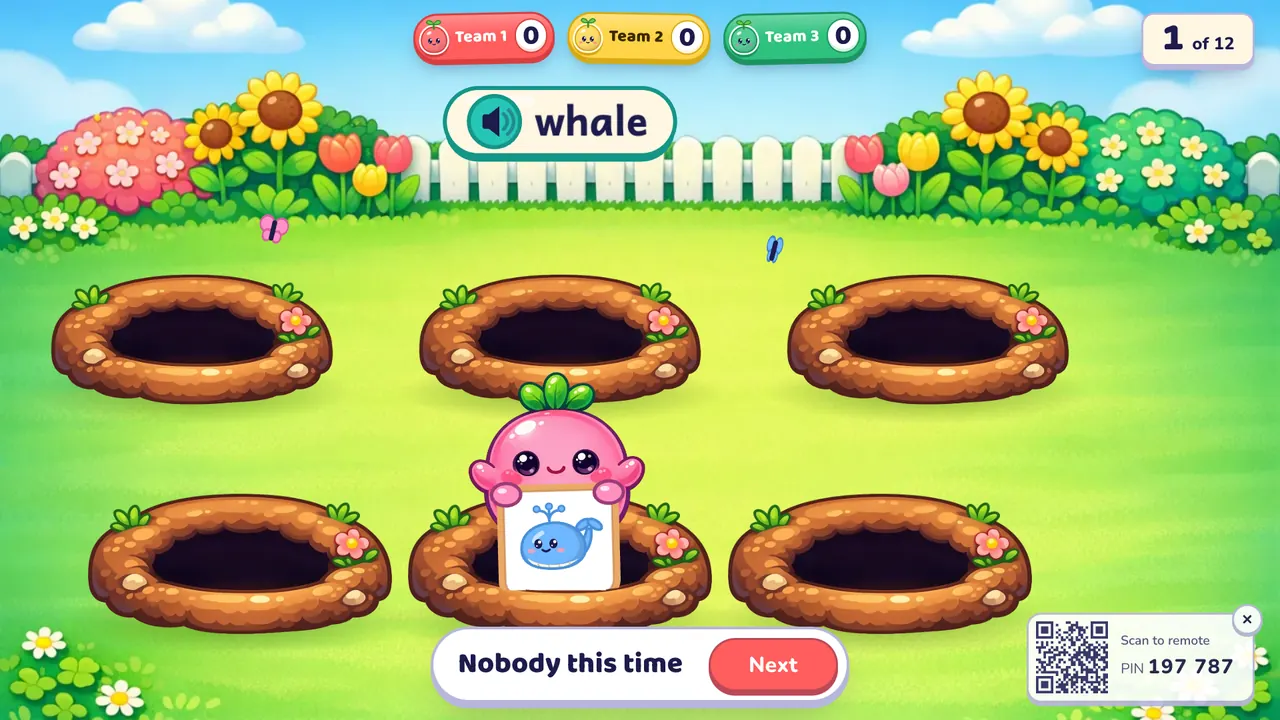
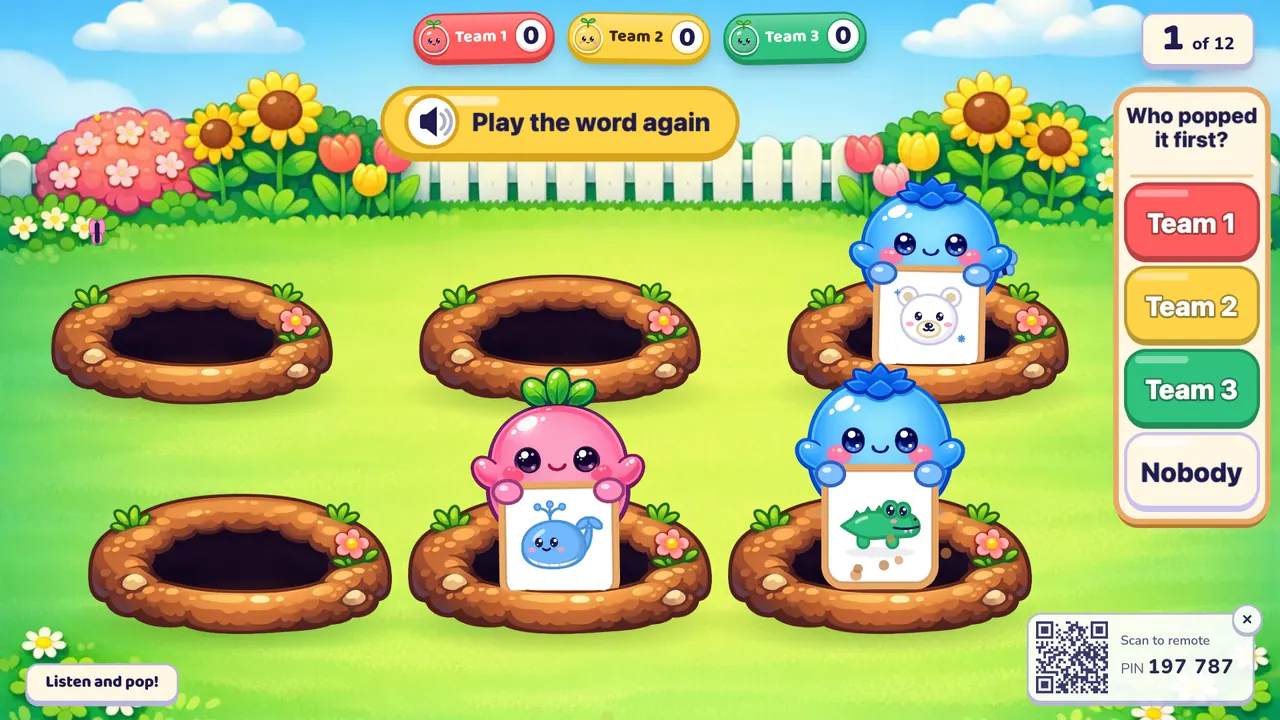
Pop the Word is a whack-a-mole vocabulary game for the classroom. Oly says an English word, cute garden critters pop out of six burrows holding picture signs, and a student has to tap the critter with the right picture before it ducks back down. It is quick, loud in a good way, and made for interactive touch displays and young learners (Pre-A1 to A2).
At a glance
| Players | The whole class in 2–4 teams free (up to 8 with Pro) |
| Time | 5–10 minutes for 12 words |
| Works with | English sets only, the listen format: hear the word, find the picture |
| Best for | Vocabulary warm-ups, young learners, interactive touch displays |
| You need | A touch screen is best (a projector with a mouse works), speakers, and your phone as the remote; a set with at least 4 words that have pictures |
How to play Pop the Word
- Make or pick a question set. Snap a textbook page, paste a word list or type a topic, or open a free set from the library. Each word needs a picture.
- Pick Pop the Word, set the teams and start. Line up one student from each team near the screen.
- Play. Oly says a word. Critters pop up from the burrows, each holding a picture, and stay up for about a second and a half before ducking. The students race to tap the critter with the right picture: it jumps for joy with stars. A wrong one gets a gentle bonk and ducks away dizzy. Then you tap the team that popped it first ("Who popped it first?"), on the screen or on your phone. If nobody did, tap "Nobody". The team with the most points at the end wins.
Rules and scoring
- First to pop the right picture: 1 point for that team.
- Nobody: no points for anyone, and the right critter pops up to show the answer.
- All teams play every word. There are no turns, so there is no steal and no minus point for a wrong answer.
- Double and triple questions are worth 2 or 3.
- Hear it again: tap "Play the word again" at the top of the screen.
- Settings: a timer per word (off, 10, 20, 30 or 60 seconds; running out counts as nobody), hide the score, calm or no effects.
What you can teach with it
Pop the Word is English only: the challenge is hearing an English word and spotting its picture fast. It is hidden for maths, science and other subject sets.
- Sea animals at Pre-A1: "whale", "crab", "octopus", "fish".
- Fruit and vegetables at A1: a lively review after a food unit.
- Jobs or places at A2: words that are harder to picture make students listen, not guess.
Tips from the classroom
- On an interactive touch display, the runner taps the critter. On a projector, the runner points and calls "Pop", and you click that critter with the mouse, or just tap the team that was first.
- Two runners at a time (from different teams) is the sweet spot. Six hands on one screen is chaos.
- Ask the class to repeat the word together after each round. The game is fast, so the speaking comes from you.
- If it is too fast for your youngest learners, keep effects on calm and let them say the word before they tap.
- Use speakers. The word is heard, not shown, until the round is over.
Play it without a screen
- Hold up picture cards one by one, quickly, from behind a book or a box.
- Say a word first; the first student to shout "Pop" on the right card wins the point for the team.
- Shuffle the cards and use a new word each round.
- Keep the score in team columns on the board.
The screen version pops the pictures at random from six burrows, says each word clearly, and lets you run the round from your phone.
Questions teachers ask
Is Pop the Word free?
Yes. Playing is free, with library games and your own typed questions. The free plan also includes 10 AI question sets a month (3 from photos).
Do I need a touch screen?
It is made for one, but it isn't required. On a projector, click the critters with the mouse, or simply watch the students and tap the winning team on your phone.
Do students need devices?
No. The class plays on one shared screen. Only your phone is used, as the remote.
How many students can play?
The whole class, in 2–4 teams on the free plan or up to 8 teams with Oly Pro. One student per team runs each round.
What is the difference from Listen and Touch?
Both are listening games. In Listen and Touch six pictures stay still; in Pop the Word they pop up and hide again, so it is faster and needs quicker eyes.
Can a team lose points?
No. A wrong tap only bonks the critter.
For more listening games, try Listen and Touch or Balloon Words.