Bowling: a classroom bowling game for team review
A classroom bowling review game: teams answer, pick a lane and knock down pins for points. Free, on one projector or TV, no student devices needed.
Bowling is a classroom bowling game for team review: a right answer earns a roll, the team picks one of five lanes, and every pin that falls is a point. It suits any class that likes a quick, loud moment of luck after each question, from young learners to teenagers revising for a test.
At a glance
| Players | Whole class in 2–4 teams free (up to 8 with Pro) |
| Time | About 15–20 minutes for 12 questions |
| Works with | English (picture, word, listen, spell, meaning, order, custom) and any subject (multiple choice, true/false, open questions) |
| Best for | Review before a test, vocabulary, big classes, touch screens |
| You need | One screen (projector, TV or interactive display) and your phone; speakers for the sound effects |
How to play Bowling
- Make or pick a question set: type a topic, paste a word list or your own questions, snap a textbook page, or open a set from the library.
- Pick Bowling, set the teams and start. Teams take turns. Scan the QR code on the screen (or type the 6-digit PIN) and your phone becomes the remote.
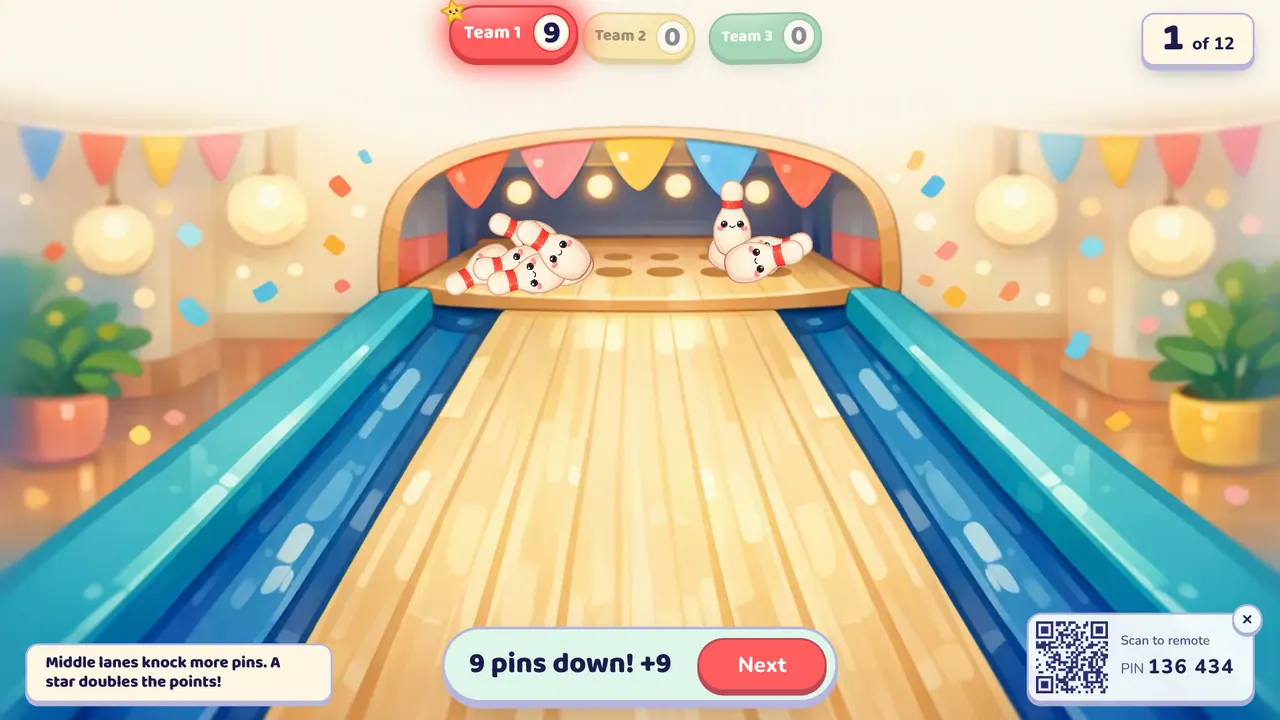
- Play. The team whose turn it is answers. If it's right, the team picks a lane, 1 to 5, by tapping the number on the screen, saying it to you (you tap it on your phone) or with keys 1 to 5. The ball rolls and the pins that fall are added to the score. A wrong answer gets no roll. After the last question, the team with the most points wins.
Rules and scoring
- One pin, one point. There are ten pins, so a strike is 10 points and gets a fanfare.
- The lane matters. The outside lanes (1 and 5) knock down 1 to 7 pins and can never strike. Lanes 2 and 4 knock down 4 to 10. The middle lane (3) knocks down 6 to 10 and strikes most often, about 2 rolls in 7.
- The star doubles it. On about half the turns a star sits on one lane. Rolling down that lane doubles the pins, so a strike there is 20.
- Double and triple questions. Mark a question as worth 2 or 3 and the pins from that roll are multiplied.
- You can also switch on a timer (10 to 60 seconds; running out counts as a wrong answer), losing a point for a wrong answer, steal (another team can answer a missed question and take the turn's reward), hidden scores, seasonal themes and calm effects. A score never drops below zero.
What you can teach with it
For English, every question format works. A few ideas:
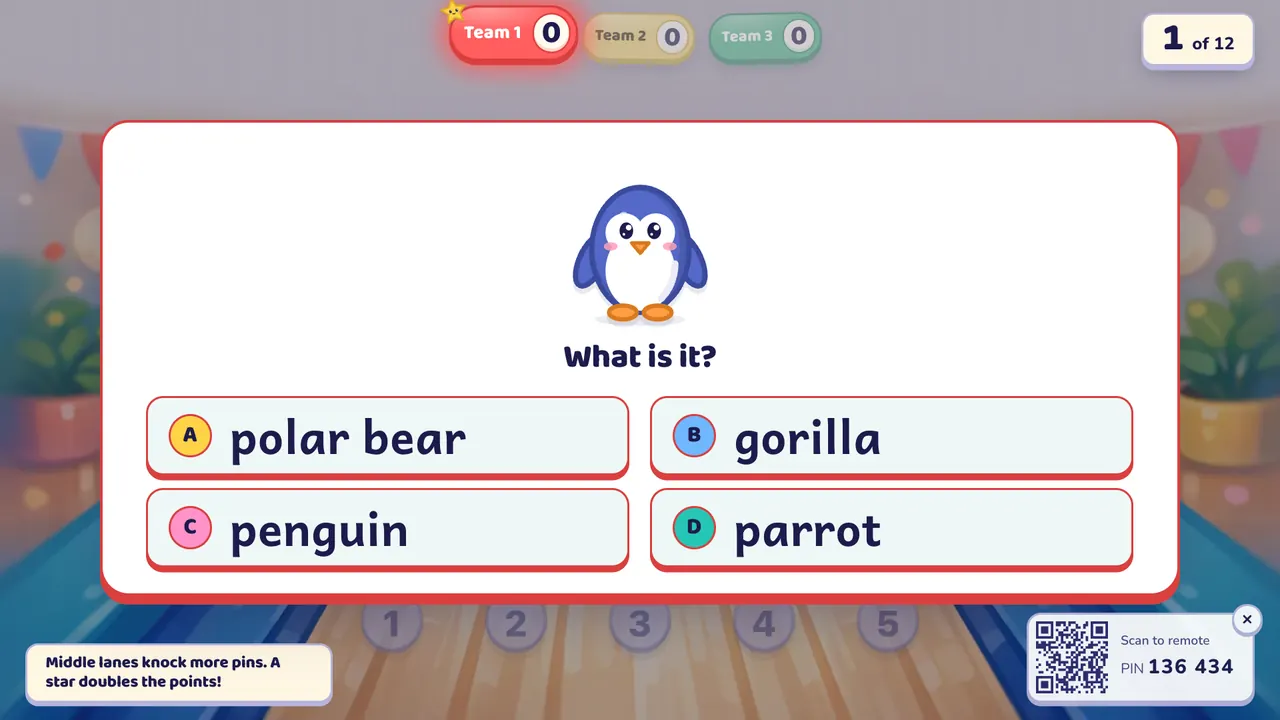
- Animals at A1: picture questions like the penguin above, a quick roll after each one.
- Past tense verbs at A2: "go → ?" as a spelling or open question.
- Sentence order: jumbled words that teams put back in order.
Bowling works with any subject too: times tables, science true/false ("Plants need light: true or false?"), or capital cities and history dates as multiple choice.
Tips from the classroom
- Big classes: four teams, a different student answering each turn. Add a class list and the screen shows whose turn it is.
- Let the team argue about the lane. The middle is safe, the star is tempting. Ten seconds of debate is good speaking practice in English classes.
- Turn on steal so a missed question isn't dead time for the other teams.
- When one team runs away with it, add a few double questions near the end.
- Calm mode keeps the pins and points but cuts down confetti and shaking.
- On a touch display, the student who answered can tap the choice.
Play it without a screen
- Draw five lanes on the board and number them 1 to 5.
- Write a range of pins under each lane: 1–7 on the outside, 4–10 next to them, 6–10 in the middle.
- After a right answer, the team picks a lane and rolls a die (or draws a number from a bag) within that range.
- Draw a star on one lane now and then; it doubles the pins.
The screen version does the odds and the scoring, shows the pins falling, and runs from your phone.
Questions teachers ask
Is Bowling free?
Yes. Every game is on the free plan with 2–4 teams, and library games and your own typed questions are free to play. The free plan also includes 10 AI question sets a month (3 from photos); Oly Pro adds more and up to 8 teams.
Do students need devices?
No. The class plays on one screen, and you run the game from your phone or the keyboard (C correct, X not yet, R show the answer, Space next).
How many students can play?
The whole class at once, in 2–4 teams on the free plan or up to 8 with Pro. Classes of 40 work fine.
Which lane is best?
The middle lane knocks down the most pins on average and strikes most often. The star lane doubles the points, so a star on lane 2 or 4 is usually worth taking.
Can a team lose points?
Only if you switch on "Wrong answers lose a point". Then a wrong answer costs 1 point, but a score never goes below zero.
Can I use my own questions?
Yes. Paste them as question | answer | wrong, wrong, or edit any set before you play.
If your class likes aiming for points, try Hoop Shot or Penalty Kick.