Word Swat: a two-player race game for interactive touch screens
The classic slap-the-board game, rebuilt for interactive touch screens: two students touch at the same time, and the first to hit the right answer wins. Free.
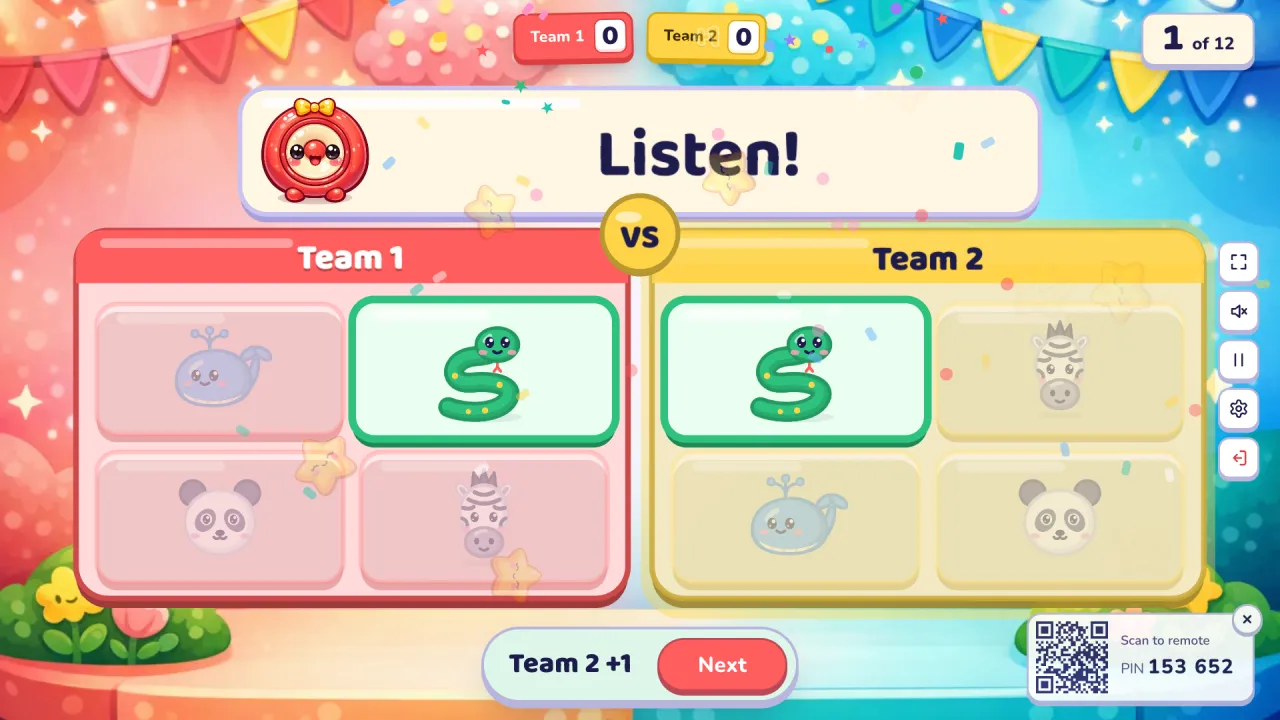
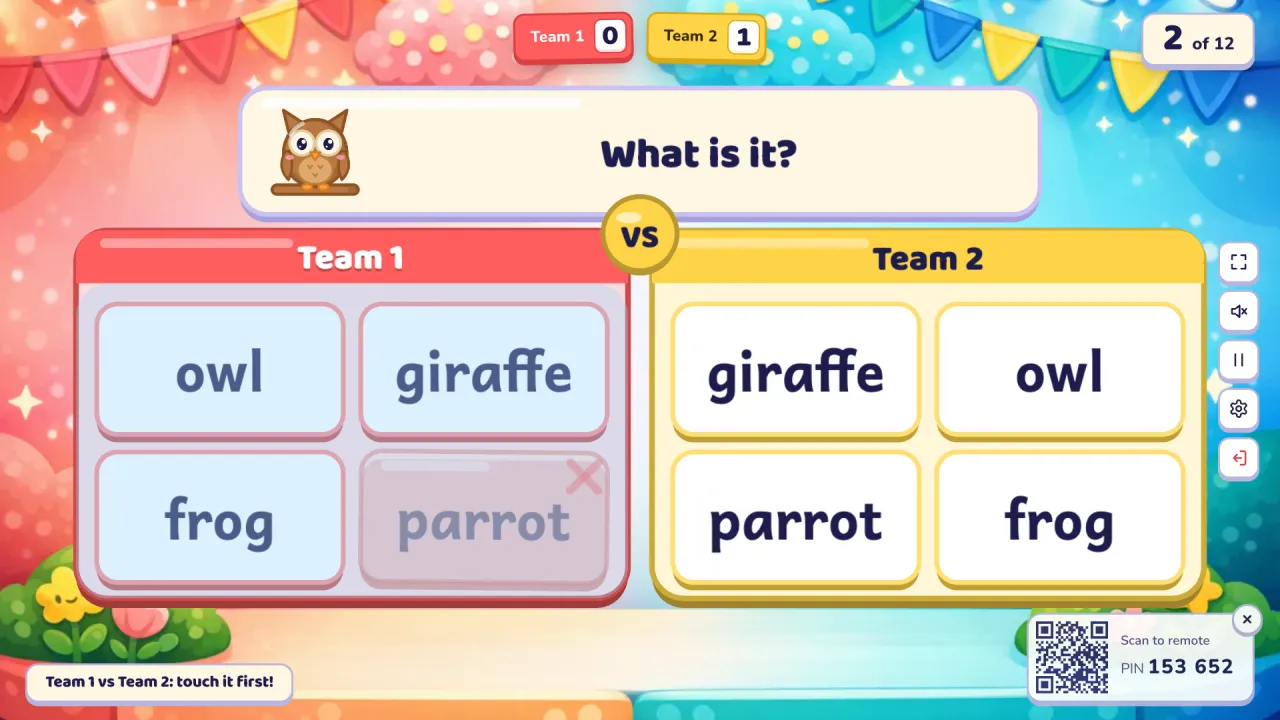
Word Swat is the classic "slap the board" race, rebuilt for interactive touch screens. Two students stand side by side at the board, one from each team. Each side of the screen shows the same answers in a different order. Oly says the word (or shows a picture, a meaning or a question), and whoever touches the right answer on their own side first wins the point. Both students touch at the same moment, because the screen takes many touches at once.
At a glance
| Players | The whole class in 2–4 teams free (up to 8 with Pro); two students at the board each round |
| Time | 5–10 minutes for 12 questions |
| Works with | Any set: English words (listen, picture, word, meaning) and subject sets (multiple choice, true/false) |
| Best for | Vocabulary review, quick recall, interactive touch displays, a burst of energy |
| You need | A touch screen (a projector works with your phone as the judge), speakers, and your phone as the remote |
How to play Word Swat
- Make or pick a question set. Snap a textbook page, paste a word list or type a topic, or open a free set from the library.
- Pick Word Swat, set the teams and start. Two students come to the board: the left one plays for the team on the left, the right one for the team on the right. The team names sit on top of each side.
- Play. Oly says the word, or the question appears at the top. Both students look for the answer on their own side and touch it. The first right touch wins the point, with stars and confetti, and both sides show the answer. Then the next two students come up.
Rules and scoring
- First right touch: 1 point for that team.
- Wrong touch: that side freezes for about a second, so guessing wildly doesn't pay. The other student can still win.
- Different order on each side. Students can't copy their neighbour; they have to find the answer themselves.
- Three or more teams: two teams face off each question, in turn, so every pair of teams meets (Team 1 vs Team 2, then Team 2 vs Team 3…). The corner of the screen says who is up.
- Double and triple questions are worth 2 or 3.
- Settings: a timer per question (off, 10, 20, 30 or 60 seconds; running out means nobody scores), hide the score, calm or no effects.
What you can teach with it
Word Swat works with every Oly set, so you can use it in any lesson.
- Listening at Pre-A1 and A1: Oly says "zebra", students touch the zebra picture.
- Reading at A1 and A2: a picture at the top, four words on each side.
- Meanings: the word in the class's language at the top, the English word to find.
- Maths or science: "7 × 8 = ?" or "Plants need sunlight. True or false?" with the answers on each side.
Tips from the classroom
- Line the class up in two rows, one per team, so the next pair is ready and nobody waits for a turn to be called.
- Ask the students to keep their hands down until the word is said. A fair start makes the race fun.
- After each round, have the whole class say the word together. The race is fast; the speaking comes from everyone.
- On a projector without touch, the two students point and shout, and you tap the team that was first on your phone.
- Mix strong and shy students across rounds. A frozen side is a gentle penalty, not a public mistake.
Play it without a screen
- Write or stick the answers on the board twice, once on each half, in a different order.
- Two students stand at the board with a fly swatter or a soft ball.
- Say a word; the first to slap the right answer on their half wins the point.
- Keep the score in team columns.
The screen version shuffles each side for you, says every word clearly, freezes wrong guesses and keeps the score.
Questions teachers ask
Is Word Swat free?
Yes. Playing is free, with library games and your own typed questions. The free plan also includes 10 AI question sets a month (3 from photos).
Do I need a touch screen?
It is made for one, and that is where it shines: both students really touch at the same time. On a projector you can still play: the students point, and you tap the team that was first on your phone.
Can two students really touch at the same time?
Yes. Interactive flat panels and most touch screens take many touches at once, and Word Swat listens to every finger separately. Pinch-zoom is switched off on the game, so two hands never zoom the page.
Do students need devices?
No. The class plays on one shared screen. Only your phone is used, as the remote.
What is the difference from Pop the Word?
In Pop the Word one student at a time taps pictures that pop up and hide. In Word Swat two students race side by side, each on their own half, and it works with subject sets too.
Can a team lose points?
No. A wrong touch only freezes that side for a moment.
For more games made for the board, try Pop the Word or Listen and Touch, and see interactive whiteboard games.