November 23, 2026
After the class game: interactive self-study lessons students can do at home
Games fix words in the classroom; a short self-paced lesson keeps them there. How to build one, what to put in it, and where Lumesson, our sister tool, fits.
A class game is the best ten minutes of the lesson: everyone talks, the words come back fast, and you can see who knows what. But one game does not make words stick. Students need to meet them again a few days later, alone, at their own speed. That is what a short self-study lesson is for.
What a good self-study lesson looks like
Keep it small. A lesson students can finish in 10–15 minutes gets finished; a 40-minute one gets abandoned.
- One goal. "Use the words for school things in a sentence", not "the whole unit".
- A quick reminder. The pictures and words from the class game, with the sound of each word.
- Practice that answers back. Drag the word to the picture, put a sentence in order, choose the right word. Every answer gets feedback, so a mistake turns into learning instead of a guess.
- A short check at the end. Four or five questions and a score, so students (and you) know where they stand.
Start from what the class missed
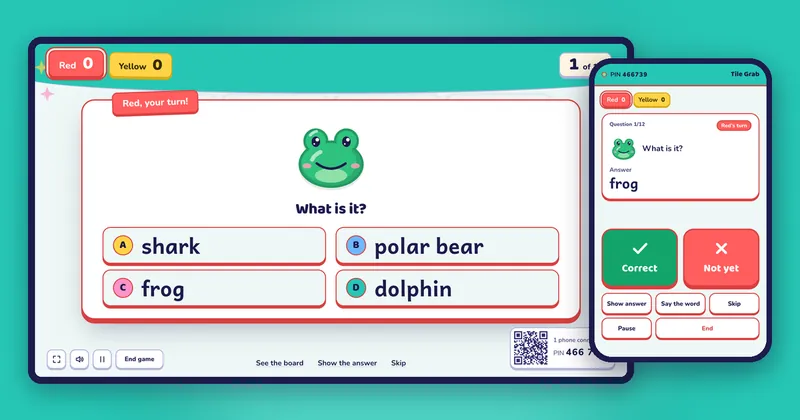
The game already told you what to practise. At the end of a game in Oly, the summary shows which words the class got wrong. Those words are the self-study lesson. If the class missed "ruler", "eraser" and "pencil case" in a Tile Grab round, build the home practice around exactly those, then open the next lesson with a quick Lucky Wheel on the same words to see if they stuck.
The cycle looks like this:
| When | What | Tool |
|---|---|---|
| In class | Team game on the big screen | Oly |
| At home | 10-minute self-study lesson on the missed words | Any lesson builder |
| Next class | 5-minute warm-up game on the same words | Oly |
Making the lesson: Lumesson
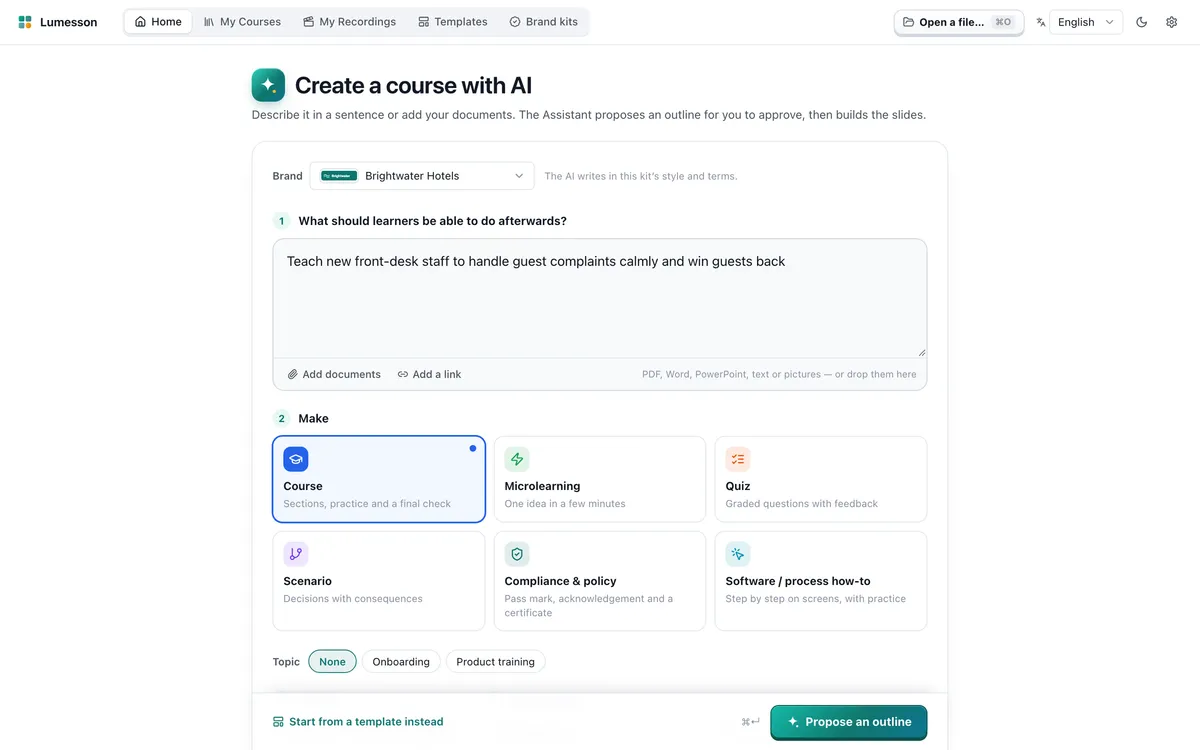
Oly is built for one screen and a whole class, on purpose: no student devices. For the at-home part students do need a device, and a different kind of tool. We make one: Lumesson, an interactive lesson and course builder from the same team as Oly. It is a desktop app for the Mac (Windows is coming).
What it is good at for teachers:
- Lessons from a sentence or your own material. Describe the lesson, or add a PDF or PowerPoint, and approve an outline before the slides are built. You can also import an existing PowerPoint and make it interactive.
- Practice that answers back. 20 question types, drag-and-drop, hotspots and game slides, with feedback and retries.
- Phones and tablets. Every slide gets a phone layout, so students can do it on whatever device they have at home.
- Voice and captions. Narration so younger learners hear each word, not just read it.
Where it goes when it is done: if your school has Moodle, Canvas or another LMS, publish it as SCORM and the scores come back to you. Without an LMS, publish HTML5 and put it on the school website, or export a PDF or a video. Students do not need an account.
The Free plan has every feature; what you publish carries a small "Made with Lumesson" mark. Paid plans are a one-time payment rather than a subscription. You can see a finished example for kids, a water cycle lesson, and play it in your browser.
Do you need it?
Honestly, not always. For young learners, a printed worksheet of the same words does the job: every library game in Oly has free printable flashcards and worksheets. A self-study lesson is worth the extra step when:
- students already have devices at home or a school LMS,
- you want to know who did the practice and how they scored,
- the topic needs more than words: a process, a story, a short reading with questions.
Questions teachers ask
Is Lumesson part of Oly? No. It is a separate app made by the same team. Oly stays free to start and needs no student devices.
Can I turn an Oly question set into a Lumesson lesson automatically? Not yet. For now, paste the missed words into Lumesson when you describe the lesson.
Does it work on Windows or Chromebooks? Students can open a published lesson in any browser. Making lessons needs a Mac for now; Windows is coming.
Start with the game: make one from today's lesson, see which words the class missed, and build the home practice around them.