November 4, 2026
Classroom timer ideas: how long to set, and when to add music
How to use a classroom timer for transitions, tidy-up, pair work, think time and tests: how long to set, music or silence, and a free timer for the big screen.
A classroom timer is one of the cheapest ways to win back lesson time. A visible countdown answers the question you hear twenty times a lesson: "How long do we have left?" Put a big number on the screen, and the class can see the answer for itself. Add a little background music and a 5 minute timer turns into a routine students follow without being told.
Here is when a timer helps most, how long to set for common tasks, when to use music and when to keep it quiet, and a short routine you can try tomorrow. At the end: how to do it with Oly's free classroom timer with music.
Why a visible timer works
A timer on the board does three jobs at once.
- It makes time concrete. "A few minutes" means something different to every student. A ring that shrinks, or a number that counts down, means the same thing to all of them.
- It moves the pressure off you. When time is up, the timer said so, not the teacher. That small shift makes transitions feel fair rather than personal.
- It gives a clear end. Students who know a task ends at a fixed point start sooner. A task with no visible end tends to start slowly and then drag.
Where to use it in a lesson
- Transitions. Moving from the carpet to tables, opening books, getting out a notebook. One or two minutes is enough, and the timer stops "just one more minute".
- Tidy-up. The classic. Two minutes with upbeat music, and see if the class beats the clock.
- Pair and group work. Every group sees how long is left without walking over to ask you.
- Think time. Before anyone answers a hard question, give the whole class 30 seconds to think. More hands go up when everyone had time, not just the fastest.
- Tests and quizzes. A big countdown at the front means no one has to ask, and no one is surprised by the end.
- Brain breaks. One minute of stretching or dancing, then back to work when the music stops.
How long to set: a quick guide
These are starting points. Adjust to your class and age group.
| Task | Time |
|---|---|
| Think time before answering | 30 seconds |
| Transition (books out, move seats) | 1 to 2 minutes |
| Tidy-up race | 2 minutes |
| Pair talk or quick discussion | 3 minutes |
| Quiet reading or writing | 5 to 10 minutes |
| Group task or project step | 10 to 15 minutes |
Two rules help. First, set a little less than you think: you can always add a minute. Second, say the time out loud as you start it: "You have five minutes, starting now." The timer backs up your words.
The 5 and 10 minute timer
Most classroom tasks fall into one of two lengths. Five minutes is the sweet spot for a short burst: a reading check, writing three sentences, a vocabulary list in pairs. It's short enough that nobody drifts off. Ten minutes suits a real piece of work: a worksheet, a group poster, a draft paragraph. Past ten minutes, it helps to break the task into two shorter timers with a quick check in between. The check-in is your moment to help the groups that are stuck.
Music or silence?
Music changes how a timer feels, so choose it on purpose.
- Calm music for quiet work. Soft background music during reading or writing covers small noises (chairs, coughs) without pulling attention away. Many classes settle faster with it than in total silence.
- Upbeat music for movement. Tidy-up, lining up and brain breaks go faster with a bouncy track. The music also works as a signal: when it stops, everyone stops.
- No music for tests and deep thinking. During a test or a hard problem, silence is kinder. Keep the countdown on screen and turn the sound off.
One trick that works well with younger classes: tell them "when the music stops, freeze and look at me." After a few days, you won't need to say it.
Tips for big classes and projectors
- Go full screen. The back row should read the numbers without squinting. Hide the browser bar and let the countdown fill the screen.
- Use colour. A timer that turns yellow and then red near the end tells the class "nearly done" without a word.
- Don't count every second out loud. Let the timer do the counting. Your voice is for the end: "Pens down, eyes up."
A short timer routine
- Say the task and the time: "Five minutes to finish the questions."
- Pick the music: calm for quiet work, bouncy for tidying, none for a test.
- Start the timer and go full screen.
- Walk around and help. Don't announce the time; it's on the screen.
- When time is up, wait for the sound, then give one clear instruction.
How to do it with Oly's timer
Oly's classroom timer is made for the screen at the front of the room. It's free, with no sign-up, and it runs in the browser of a projector laptop, a TV or an interactive whiteboard.
- Pick a time such as 1, 2, 5 or 10 minutes, or use +1 min and −1 min to set your own, from 10 seconds up to 99 minutes.
- Choose the music: Calm, Bouncy, Playful, Sporty, Winter bells, or No music. Oly makes the music in your browser, so no files are downloaded and it starts at once even on slow school Wi-Fi.
- Choose a look: the classic Ring, which turns yellow and then red as time runs out, a Rocket that blasts off when time is up, or a Flower that grows and blooms at the end.
- Use the keyboard: Space starts and pauses, R resets, F goes full screen.
- When time is up, the music stops and a cheerful sound tells the class.
The timer sits with the other free tools (a noise meter, a name picker wheel, a team maker and more) on the classroom tools page.
Then play a game
A timer pairs well with a quick review game at the end of a lesson. In Hot Seat, each round is 60 seconds of describing words for a teammate to guess. In Ring the Bell, every team writes an answer to every question, which is great think-time practice. And Tile Grab works with any word list or subject quiz you have.
Want more routines for a calm, focused class? Start with the guide to classroom management games. Or pick any game in the library and set a 10 minute timer for it at the end of your next lesson.
Try these games
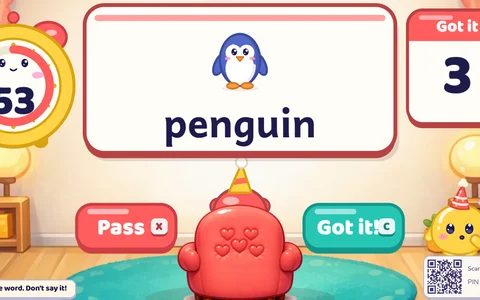 Hot SeatOne player sits with their back to the screen; the team describes words to them against the clock.
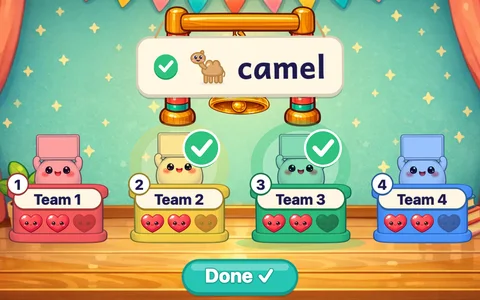 Ring the BellEvery team answers every question. A miss costs a heart; the last team standing rings the bell.
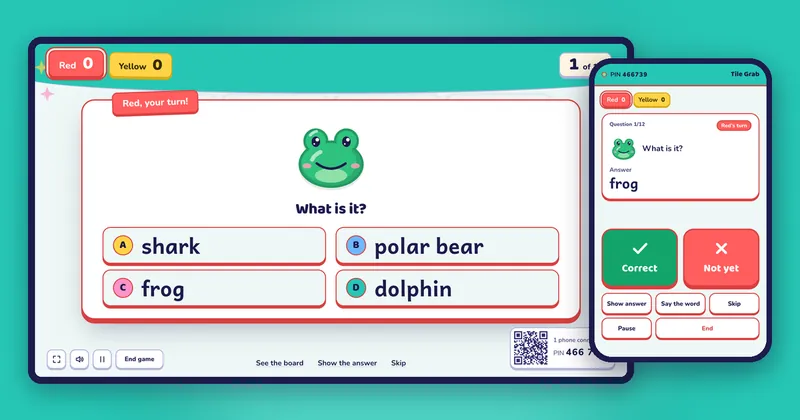
 Tile GrabAnswer right to flip a tile. Points, stars, bombs and magnets that steal points.