November 4, 2026
A wheel of names for your class: spin the wheel, fairly
How to use a wheel of names in class: spin the wheel to pick who answers, reads or goes first, keep it kind, and give every student a turn. Free, no sign-up.
"Who wants to answer?" Five hands go up, the same five as yesterday, and the rest of the class relaxes. A wheel of names changes that in one spin. When students know that anyone can be picked, everyone keeps thinking, and when they see the wheel choose, nobody can say the teacher has favourites. A free random name picker wheel on the class screen is one of the cheapest upgrades you can make to a lesson.
Here is why it works, the ways teachers use it, how to keep it kind, and how to set it up in a minute.
Why spin the wheel instead of choosing
- Everyone stays alert. If only volunteers answer, the others can switch off. When any name can come up, every student prepares an answer, just in case.
- It's visibly fair. Students argue with a teacher's choice. They don't argue with a wheel that everyone watched slow down and stop.
- Quiet students get a voice. Many students who never put up a hand know the answer. Random picking gives them a turn without them having to ask for it.
- It takes the pressure off you. No more deciding, in the middle of a question, who hasn't spoken yet.
Cold calling, done kindly
Calling on a student who didn't volunteer is called cold calling. Done badly, it feels like a trap. Done well, it is just how the class works. Three habits make the difference:
- Ask first, spin second. Read the question, then give everyone three to five seconds of thinking time before you spin. If you spin first, everyone except the picked student stops thinking.
- Let them talk to a partner. "Thirty seconds, tell your partner your answer." Then spin. Now the picked student has already said the answer once, quietly.
- "Pass and come back." A picked student can say "pass". You go to someone else, then come back to the first student with an easier question or the same answer to repeat. Nobody is left frozen, and nobody escapes for good.
A lighter version for nervous classes: the picked student can choose a helper, and the two answer together.
Ways to use a wheel in class
The wheel is not only for questions. Teachers use it for:
- Who answers next, in a review, a quiz or a game.
- Who reads aloud the next paragraph, or writes on the board.
- The order of presentations. Spin once per group at the start, write the order on the board, and nobody argues about going first.
- Classroom helpers for the week: who hands out books, who cleans the board, who waters the plant.
- Topics, tasks or questions instead of names. Type "describe your bedroom", "your favourite food", "your weekend" and let the class spin the wheel for a speaking topic.
- Small rewards without prizes. Put privileges on the wheel: choose the next game, pick the music for the timer, sit at the teacher's desk for a lesson. A spin at the end of a good lesson is something to look forward to, and it costs nothing.
When you need a number rather than a name, use a random number generator: give every student a number, or number the questions on a worksheet, and pick. With No repeats on, each number comes up once until all have been picked. When you need groups, the team maker splits the class into 2 to 8 random teams in one tap. For more ways to make groups, see how to make classroom teams fast and fair.
Keep it kind
A wheel is fair only if every student gets a turn. A few rules keep it that way:
- Take picked names off the wheel. Otherwise one student can come up three times while another never does. Remove picked names, and when everyone has had a turn, put them all back and start again.
- Never spin for punishments. The wheel picks who answers, reads or helps. If it also picks who stays after class, students start to fear it.
- Leave a way out. Some students have a bad day, a stutter or a very new language. Agree on "pass and come back" or "choose a helper" in advance, so no one is stuck in front of the class.
- Mind the names on the screen. First names or nicknames are enough. If you share your screen online or record the lesson, think about what is on the wheel.
How to do it with Oly
Oly's name picker wheel is free, needs no sign-up and runs in any browser, so it works on a projector, a TV or an interactive whiteboard.
- Type or paste your students' names, one per line, or choose a class you made in Oly.
- Press Spin, or the space bar. The wheel slows down and lands on a name, and the picked name shows big.
- Leave Take picked names off the wheel on. Nobody is picked twice until everyone has had a turn, and Put everyone back starts a new round.
The wheel holds up to 100 names, and you can type anything instead: topics, questions, groups or prizes. The names stay in this browser, on this computer, so the list is still there tomorrow, and Oly never sends them to a server. Press full screen and the browser bar is gone. All the free tools, from the timer to the dice, are on the classroom tools page.
During an Oly game you don't need to switch tabs: the Tools button (the stopwatch) in the game's controls opens the wheel and the other tools on top of the game.
When the wheel is the game
If your class loves the spin, play Lucky Wheel: teams answer questions from your lesson, and a right answer spins a wheel of points, double points, a swap with the leader or another turn. For a game where the luck is in the board instead, try Tile Grab, and for a calm review where every team answers every question, Ring the Bell.
A routine you can run tomorrow
- Paste your class list into the wheel before the lesson.
- Explain the rules once: everyone thinks, the wheel picks, "pass and come back" is allowed.
- Ask, wait, spin.
- Keep picked names off the wheel until everyone has had a turn.
- End the lesson with one spin for a small privilege.
Ready to turn today's lesson into a game? Pick a set in the library and play it with your next class.
Try these games
 Lucky WheelAnswer right to spin the wheel. Win points, double your score, swap with the leader, or play again.
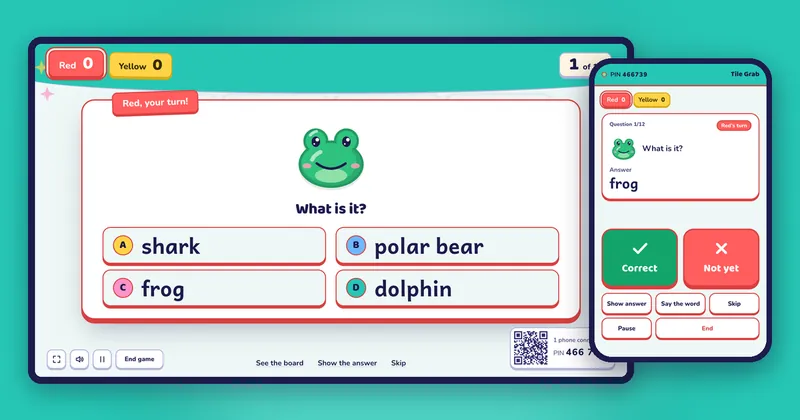
 Tile GrabAnswer right to flip a tile. Points, stars, bombs and magnets that steal points.
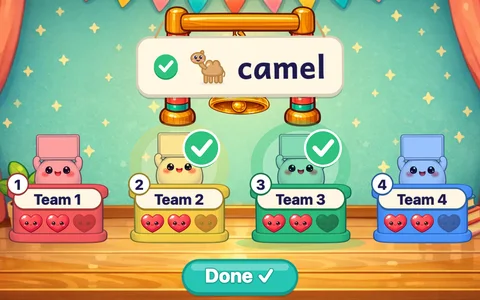 Ring the BellEvery team answers every question. A miss costs a heart; the last team standing rings the bell.