Word Search: a word search race for interactive touch screens
A word search race for the touch screen: two students swipe across their own letter grid to find three hidden words, and the first to find all three wins. Free.
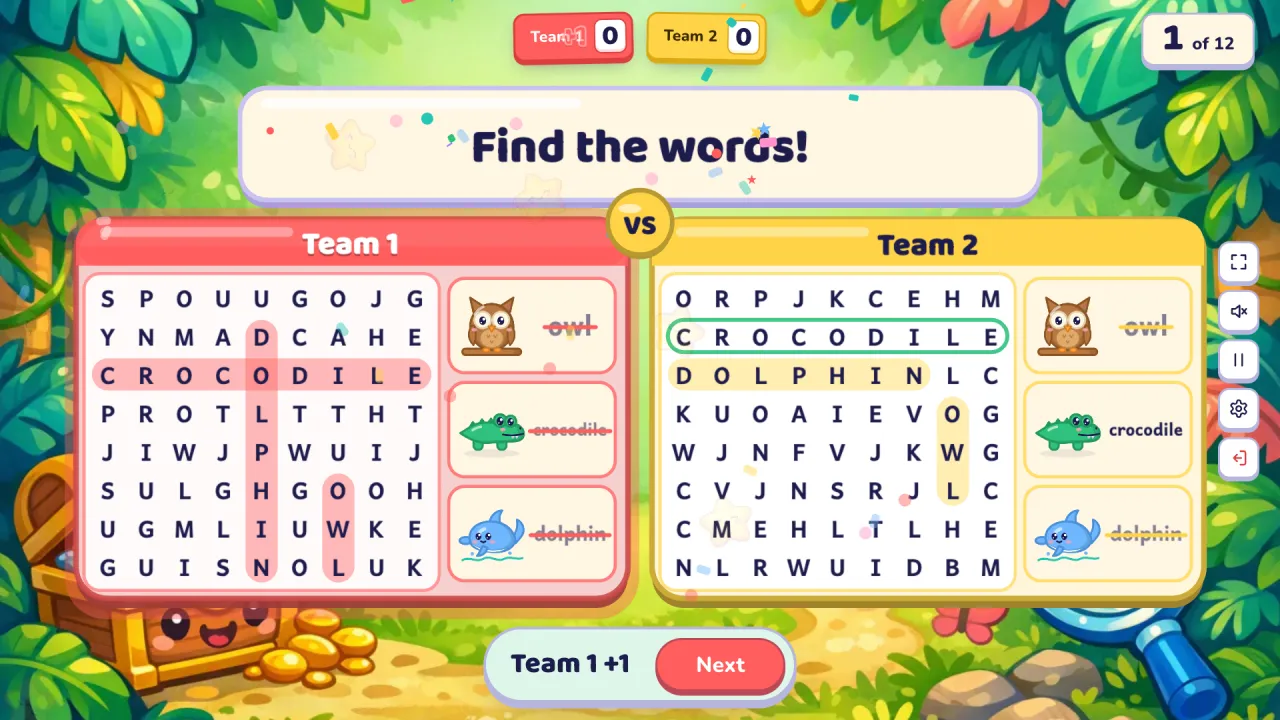
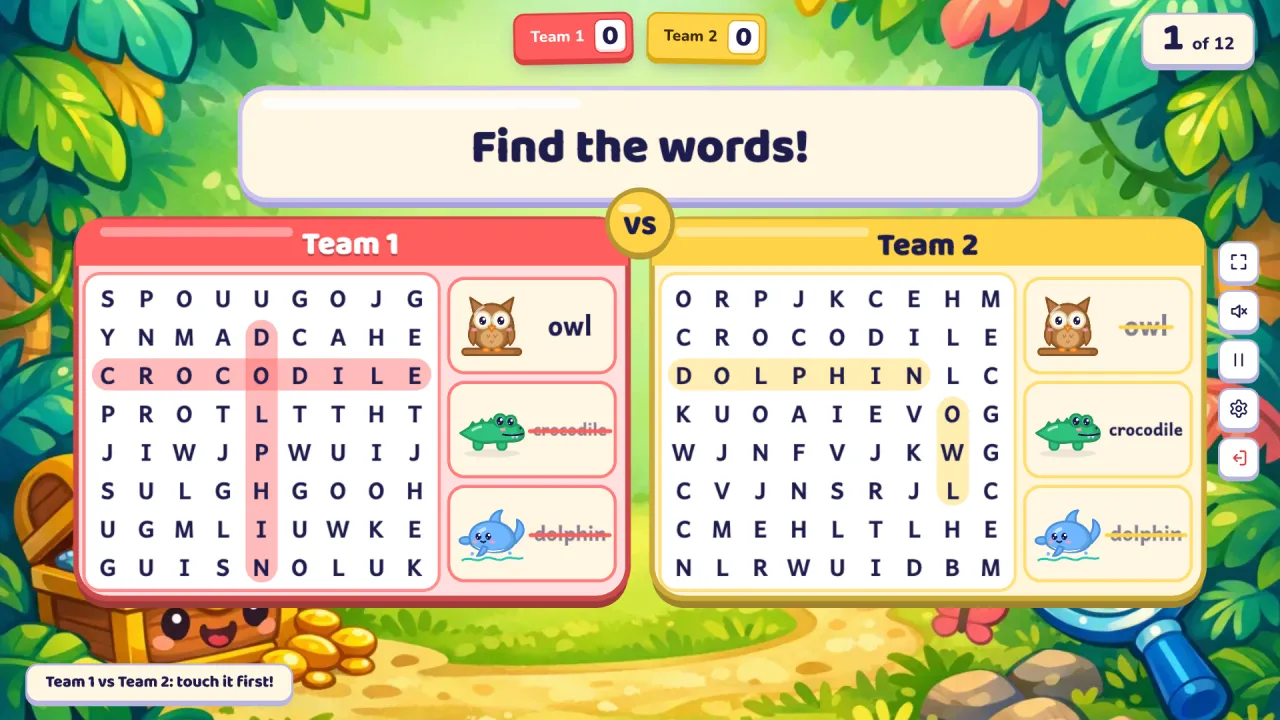
Word Search is a word search race for English classes, made for interactive touch screens. Two students stand side by side at the board, one from each team. Each side has its own grid of letters hiding the same three words from your lesson, across or down, with their pictures beside it. The students swipe a finger across the letters to circle each word, and the first to find all three wins the point. Both swipe at the same moment, because every finger draws its own line.
At a glance
| Players | The whole class in 2–4 teams free (up to 8 with Pro); two students at the board each round |
| Time | 5–10 minutes for 12 rounds |
| Works with | English sets with single words of 3 to 9 letters (pictures help) |
| Best for | Spelling, word recognition, phonics review, interactive touch displays |
| You need | A touch screen (a projector works with your phone as the judge), and your phone as the remote |
How to play Word Search
- Make or pick a question set. Snap a textbook page, paste a word list or type a topic, or open a free set from the library.
- Pick Word Search, set the teams and start. Two students come to the board: the left one plays for the team on the left, the right one for the team on the right.
- Play. Both students look for the three words in their own grid and swipe across the letters, from the first letter to the last (or backwards). A found word stays circled in the team's colour and is crossed off the list. The first side with all three found wins the point, with stars and confetti. Then the next two students come up.
Rules and scoring
- First to find all three words: 1 point for that team.
- Words go across or down, never diagonally, so young learners can find them.
- Each side has its own grid, with the words in different places, so nobody can copy their neighbour.
- A swipe either way counts: "LWO" read backwards is still owl.
- Three or more teams: two teams face off each round, in turn, so every pair of teams meets. The corner of the screen says who is up.
- Double and triple questions are worth 2 or 3.
- Settings: a timer per round (off, 10, 20, 30 or 60 seconds; running out means nobody scores), hide the score, calm or no effects.
What you can teach with it
Word Search is English only: it is hidden for maths, science and other subject sets.
- Pre-A1 and A1 topics: animals, colours, family, food, with pictures beside the words.
- Spelling lists: the week's words, from three letters up to nine.
- Phonics: words with the same sound or spelling pattern ("ship", "shop", "fish").
Tips from the classroom
- Line the class up in two rows, one per team, so the next pair is ready.
- Ask the rest of the class to spell each found word out loud.
- For young learners, let them point at the picture and say the word before they search.
- On a projector without touch, the students point at the words, and you tap the team that was first on your phone.
- Keep words short for the youngest: three to six letters are found fastest.
Play it without a screen
- Print two copies of a word search with the same words in different places.
- Two students race with a marker, one sheet each, on the board.
- The first to circle every word wins the point.
- Keep the score in team columns.
The screen version makes new grids every round, hides the words differently on each side, checks every swipe and keeps the score.
Questions teachers ask
Is Word Search free?
Yes. Playing is free, with library games and your own typed questions. The free plan also includes 10 AI question sets a month (3 from photos).
Which words can be in the grid?
Single words of 3 to 9 letters from your set. Phrases and longer words are left out, so the grid stays clear. A set needs at least 3 such words.
Do I need a touch screen?
It is made for one: swiping across the letters with a finger is what makes it fun. On a projector you can still play: the students point, and you tap the team that was first on your phone.
Do students need devices?
No. The class plays on one shared screen. Only your phone is used, as the remote.
Can a team lose points?
No. A swipe that is not a word simply disappears.
For more games made for the board, try Match Up or Sentence Race, and see interactive whiteboard games.